Paste your tracking number into the courier’s official tracker or a universal multi-carrier tracker, and you will see a timeline of scan events from origin to delivery. If you bought from a store, check your order page or confirmation email first, because that is where the correct number usually sits. If an update is missing, the sections below explain why and what to do next.
TL;DR:
- Check the merchant’s order page for linked seller and local courier IDs; use the carrier’s tracker for detail or a universal tracker for handoffs.
- Read the timeline from the bottom up, and treat its newest scan as the last recorded location, not proof of where the parcel is now.
- If tracking stays unchanged several business days past the estimated window, save screenshots, contact the merchant first, then file a carrier inquiry.
- Ignore unexpected delivery messages that demand payment or personal details; verify status by opening the retailer’s account or carrier tracker yourself, never through their link.
Table of Contents
- How do you track a parcel with carrier sites and universal trackers?
- What do tracking numbers look like and where do you find them?
- How does online courier tracking work behind the scenes?
- Why do tracking updates go missing or look wrong?
- How can you spot fake delivery texts and emails?
- What should you do when a parcel is delayed or lost?
- What practical habits give you better visibility on shipments?
- How does tracking connect with ecommerce platforms like Amazon?
- Why does courier tracking matter in cross-border shipping?
- How do real-time analytics and exception management work in tracking?
- What are the benefits of multimodal freight tracking?
- How do warehouse and inventory systems connect to courier tracking?
- Why we treat tracking as part of reliable courier services
- How we help businesses get one tracking view and faster fixes
- FAQ
- Sources
How do you track a parcel with carrier sites and universal trackers?
There are two routes, and both start with the same thing: a clean copy of the right number.
- Find the number. Look in your order confirmation email, the merchant’s order page, the shipping label, or your receipt. Some orders carry two numbers: a seller-issued one and a local courier ID that appears later.
- Copy it exactly. Paste it without leading or trailing spaces, and without dashes or spaces the sender did not include.
- Pick your route. If you know the carrier, use its official tracker. If you do not, or the parcel changes hands, use a universal tracker.
- Choose the country or service when asked. Many carrier pages ask where the parcel is shipping from or which service it uses. A wrong choice can return “not found” for a perfectly valid number.
- Read the timeline from the bottom up. The oldest event is at the bottom of most trackers. The newest scan tells you where the parcel was last seen, not where it is right now.
Here is how the two routes differ in practice:
- Official carrier trackers show the most detail for that carrier, including delivery windows and service notices.
- Universal trackers guess the carrier from the number’s format and pull data from several networks, which helps when a parcel moves from an international carrier to a local one.
- Merchant order pages sometimes link several IDs for one order and show a single delivery promise, so they are worth checking even when you already have a number.
If a universal tracker returns several possible carriers for one number, use its country or courier picker to narrow the result rather than trusting the first match. Ambiguous results are common with short numeric IDs, because different carriers reuse similar lengths.
Pro Tip: Search your inbox for the word “tracking” and sort by date. Sellers often send a first email with a placeholder number and a second one with the real number once the parcel is scanned.
What do tracking numbers look like and where do you find them?
Tracking numbers have no single global format. Some are long strings of digits, others mix letters and numbers, and the length and prefix depend on the carrier and the country. International parcels often carry a format with letters at the start and end, but you should not rely on appearance alone to decide which carrier owns a number.
Where to look:
- Order confirmation or shipping email: the most common place, usually near the top or in a “track your package” button.
- Merchant account order page: often shows the number even if the email was lost or filtered to spam.
- Shipping label: the barcode and the printed number sit together, so you can type the digits if you cannot scan the code.
- Receipt or packing slip: useful for parcels you sent yourself from a counter.
Mistakes that waste time:
- Using an order number. Your store’s order number or an internal reference is not a tracking number. Trackers will reject it or return a different parcel.
- Mixing up lookalike characters. The letter O and the digit 0 look alike, as do the letter I and the digit 1. When a number fails, retype it by hand rather than pasting again.
- Copying a partial number. Line breaks in emails can split a long number, so check that you copied the whole thing.
- Ignoring a second ID. If a seller number returns nothing, the local courier may have issued its own number after the handoff. The merchant page is a useful place to find it.
Once the number checks out, a tracker’s job is simple: match it to scan events and show them in order.
How does online courier tracking work behind the scenes?
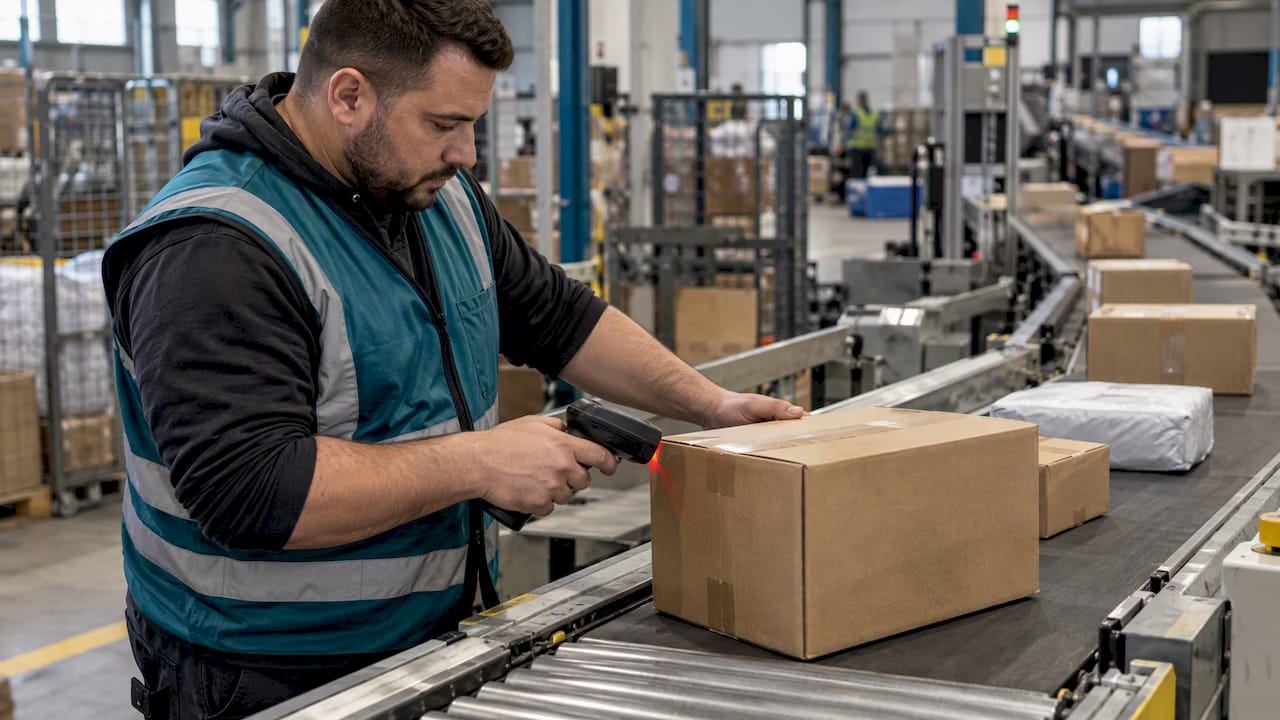
Most of what you see online comes from barcode scans. A worker or machine scans the label at a pickup point, a sorting facility, a border crossing, a delivery vehicle, or your door. Each scan creates an event in the timeline with a time and a place. In its review of delivery scanning, GAO reported that carriers rely on barcode scans to produce delivery estimates and real-time data, and that missed or inaccurate scans do occur.
That dependence explains a lot of what looks strange on screen:
- Long gaps are normal. A parcel on a truck or plane is not being scanned, so the timeline pauses until the next facility.
- New numbers can appear. When a shipment moves between carriers, a second carrier may issue its own ID. Good trackers follow the link between the two and build one journey. Our own write-up on how parcel tracking boosts shipping efficiency goes deeper on this.
- Coverage differs by carrier. Some run dense scan programs with many checkpoints. Others scan less often, so the public timeline looks thin even when the parcel is moving fine.
Scanning drives everything you see. GAO found that carriers use barcode scans to produce customer-facing delivery estimates, which means a missed scan can make an estimate look wrong even when the parcel is on its way.
For businesses that handle many parcels, the same scan data also feeds real-time operational reporting, which turns individual events into patterns about routes and facilities. The U.S. Department of Transportation’s FLOW initiative points the same way: data-sharing partnerships that aim to give an integrated picture of supply chain conditions instead of isolated updates.
Why do tracking updates go missing or look wrong?
A missing update rarely means a lost parcel. It usually means a scan did not happen or has not uploaded yet.
- Missed or poor scans. Damaged or smudged barcodes, equipment faults, and human error all limit the events you can see. GAO’s work on product scanning recommended consolidated scanning procedures and stronger internal controls because these misses occur.
- Missing start scans. In its review of delivery performance data, GAO found that measurement can be incomplete because many mail pieces lack a start-the-clock barcode or a recorded scan, often due to missing barcodes or mail-preparation errors.
- Handoffs and customs. When a parcel crosses a border or changes carriers, it can sit in a processing queue with no new events while a new ID is assigned. The gap looks alarming but often closes on its own.
- Different measurement programs. Some carriers scan every piece, others sample, and mail that is outside a tracking program can go unmeasured.
A reasonable rule: if the status has not changed for several business days past the estimated window, move on to the escalation steps below. Before that, refresh the tracker, try the carrier’s own page, and check whether the merchant has posted a newer number.
How can you spot fake delivery texts and emails?
Fake delivery messages are common because almost everyone is waiting on a parcel. The FTC warns that scammers send texts that look like they come from carriers and ask you to click a link, and it advises verifying delivery information independently.
Warning signs:
- An unexpected message about a parcel you do not remember ordering.
- Urgent language and a link asking you to “confirm” payment, address, or card details.
- A strange sender number or an email address that does not match the carrier’s real domain.
- A demand to pay a small fee for redelivery. The FTC says never to reply or click and never to pay to get a package redelivered.
What to do:
- Do not click anything. Do not reply, even to say stop.
- Check the real source. Sign in to the retailer’s site directly, or open the carrier’s official tracker and type the number yourself.
- Call a known number. Use the phone number printed on the carrier’s website or your account, never one from the message.
- Report and delete. Report the message to your local consumer protection agency and your phone provider, then delete it.
The FTC also notes that fake shipping notices circulate year-round and often lead to lookalike sites that ask for payment or personal data, so holiday timing is not the only risk.
Pro Tip: If you did order something, the real tracking number will also be in your order account. A message that pushes you to a link instead of showing that number is the red flag.
What should you do when a parcel is delayed or lost?
Work in order, and keep proof at every step. A tidy paper trail can help when making a claim.
- Collect evidence. Take screenshots of the tracking timeline, save the order confirmation, photograph the label barcode if you have it, and keep any carrier messages.
- Wait out the normal window. Check the estimated delivery date and any customs or holiday notices before you escalate.
- Contact the merchant first. If you bought from a retailer, they hold the shipping contract and can start an investigation or send a replacement.
- Contact the carrier. Use its official inquiry or claim channel. Have the tracking number, shipping date, sender and recipient details, and your screenshots ready.
- Write everything down. Note the date, the representative’s name, and any reference number you are given.
- Escalate if you hit a wall. Use your local consumer-complaint channel. Large carriers run formal complaint systems: GAO describes how USPS uses a complaint system called C360 to collect details and route them for investigation, which can help address missing-package complaints.
Expect carriers to ask for proof of contents and value for a claim, and expect follow-up on their stated timeline. Ask for that timeline on the first call.
What practical habits give you better visibility on shipments?
A few small habits remove most of the confusion.
- Turn on notifications. Sign up for carrier account alerts and SMS updates, and enable delivery photos or signature proof when offered. Our guide to order tracking notifications covers what each alert type means.
- Keep every ID in one place. A single notes app or folder with number, carrier, and seller saves you from digging through email.
- Share tracking with recipients. If you are the sender, send the number and tracker link promptly.
- Print labels well. Senders should use clear, uncreased barcodes, place the label flat on the largest face, and upload any required documents so carriers can scan reliably.
- Check the address early. A fix before pickup is cheap; a fix after a failed delivery attempt is not.
Pro Tip: Take a photo of the label before you hand over a parcel. It preserves the barcode and number if the tracking email never arrives.
How does tracking connect with ecommerce platforms like Amazon?
Online stores pull carrier scan data into their own order pages, so you see status without visiting a carrier site. When a seller prints a label, the tracking number is attached to the order, and every new scan updates the order status and often triggers an email or app alert.
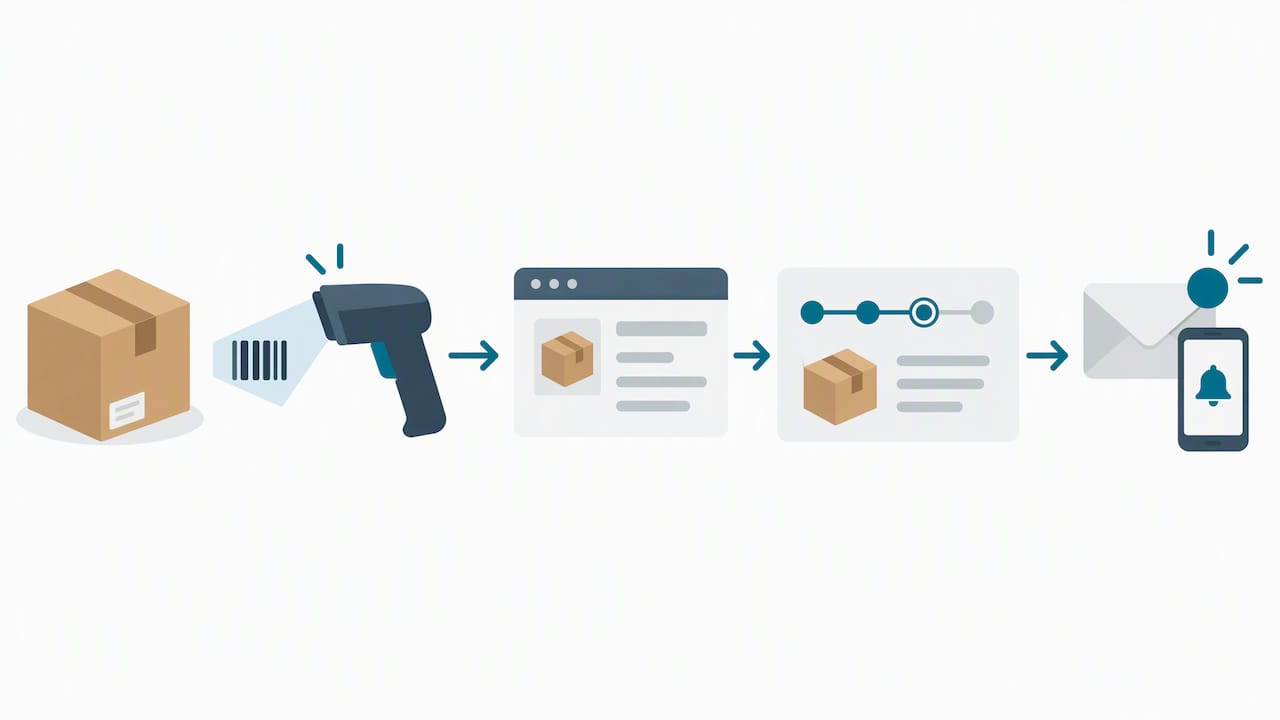
Marketplaces like Amazon go a step further. Their order pages combine seller-shipped and marketplace-shipped parcels, translate carrier events into plain-language statuses like “out for delivery,” and show one delivery promise even when several carriers touch the parcel. That is convenient, but it also means the summary can lag behind the carrier’s own page by a few hours.
For sellers, the integration matters in three ways. Accurate tracking uploads reduce “where is my order” messages. Late or missing uploads can hurt seller metrics on some marketplaces. And clean data lets a store trigger its own follow-ups, like review requests after delivery.
If you ship through us, our Amazon ecommerce shipping and fulfillment services connect shipment events to the order workflow so your customers see consistent status. If you are comparing tools first, our review of the best shipment tracking software lays out what to look for.
Why does courier tracking matter in cross-border shipping?
Cross-border parcels change hands more than domestic ones, so they have more places to go quiet. A typical journey runs from pickup to export processing, an international leg, import customs, a local carrier, and delivery. Each stage may use a different system and sometimes a different ID.
Customs status updates are the part buyers worry about most. A parcel may show “arrived at customs” or “held for clearance” and then sit for days. Often that is just waiting for documents, duty assessment, or inspection, not a loss. The most common holdups are missing or inconsistent invoices, unclear item descriptions, and unpaid duties or taxes.
Tracking helps both sides here:
- Buyers can see whether a delay is at the border or in the local network, and know whether to contact the seller or the courier.
- Sellers can spot a clearance problem early and supply the missing paperwork before the parcel is returned.
Be careful with any message that says a customs fee is due, because delivery-fee scams use the same story. Confirm any duty request through the carrier’s official site or the merchant, not a link in a text.
For sellers shipping abroad, we handle customs clearance and warehousing as part of one flow, and our guide to world parcel tracking explains how to keep one timeline across borders.
How do real-time analytics and exception management work in tracking?
Basic tracking tells you where a parcel was. Analytics asks whether that is where it should be. A system compares each new scan against the expected route and timing, and when something drifts, it raises an exception.
Typical exceptions include:
- A parcel with no scan past its expected checkpoint.
- A failed delivery attempt or address problem.
- A customs hold or missing document.
- A route that no longer matches the promised delivery date.
Without this layer, someone has to look through hundreds of tracking pages. With it, a logistics team sees a short queue of parcels that need a person, along with the reason. The same data also shows patterns: a facility that often delays parcels, a lane that runs slow in peak season, or a label error that repeats across one seller’s shipments.
Carriers use tracking data the same way internally. It helps identify route problems and allocate resources, which moves visibility beyond consumer lookup into network management. The U.S. Department of Transportation’s FLOW data-sharing effort aims at a forward-looking picture of supply chain conditions, which is the same idea at a national scale.
For a shopper, the takeaway is simple: a good tracker should tell you not just where the parcel is but when something is wrong and who is acting on it.
What are the benefits of multimodal freight tracking?
Multimodal freight uses more than one transport mode on a single shipment, such as ocean to rail to truck, or air to a local courier. Each mode has its own tracking system, and each reports in its own format. Without consolidation, a shipper checks a vessel tracker, a rail portal, and a courier page, then pieces the story together by hand.
Multimodal tracking pulls those feeds into one view. The benefits are practical:
- One timeline instead of several. You see the whole journey, including the handoff points where visibility usually drops.
- Earlier warning. A late vessel or a missed connection shows up before it becomes a missed delivery date.
- Better planning. Warehouses and customer teams can plan receiving, staffing, and customer messages around real arrival estimates.
- Cleaner records. One consolidated history makes disputes, claims, and reporting simpler.
Handoffs are where problems cluster. The U.S. Department of Transportation notes in its baggage guidance that changes of custody and connections raise the risk of disruption, and the same logic applies to freight. Fewer handoffs and better visibility at each one mean fewer surprises.
We offer freight booking across modes, and our guide on global freight solutions explains how different modes fit together for U.S. shippers.
How do warehouse and inventory systems connect to courier tracking?
A warehouse management system (WMS) knows what is on the shelf and what has been picked, packed, and labeled. Courier tracking knows what happens after the parcel leaves the dock. Connecting them closes the gap between “shipped” and “delivered.”
The usual flow looks like this:
- An order arrives and the warehouse picks and packs it.
- The system generates a shipping label and attaches the tracking number to the order.
- The courier’s first scan confirms pickup, and the system marks the order as shipped.
- Later scans update the order status and the storefront.
- Delivery confirmation closes the order and can trigger returns windows or restock rules.
Inventory benefits too. When tracking shows a parcel returned or undeliverable, the system can put the item back into available stock instead of leaving it in limbo. When tracking shows an inbound pallet delayed, planners can adjust reorder points before stockouts appear.
Label quality sits at the center of this. A clear barcode printed at the pack station is what lets the courier scan reliably later, and scan reliability is what feeds every downstream update. We run warehousing and inventory management alongside courier shipping, so the scan data flows back into one record. Our ecommerce shipping workflow guide shows the full sequence step by step.
Why we treat tracking as part of reliable courier services
We think tracking is not a feature added on top of delivery. It is how a courier proves it is reliable. A parcel that arrives on time but cannot be followed still leaves customers anxious, and a parcel that runs late but is visible and explained leaves them informed. For us, consolidated tracking and exception management sit at the core of reliable courier services, because knowing about a problem before the customer does can help teams address it sooner.
That is why we build tracking into fulfillment workflows instead of bolting it on afterward, and why we focus on giving merchants visibility into every handoff. Teams that consolidate their view tend to spend less time chasing status and more time resolving the few shipments that truly need attention. If you manage shipments for a store, a brand, or a warehouse, it is worth asking how many tools you check to answer one customer’s question.
— Maayan
How we help businesses get one tracking view and faster fixes
If you sell online or manage logistics, you should not have to check multiple sites to answer “where is it?” At Or-ner, we offer reliable courier services with tracking built into the workflow, so your team and your customers see the same picture.
What that means for you:
- Consolidated tracking across carriers and modes in one place.
- Exception management for shipments that need attention.
- Exception management that puts the parcels needing action in front of a person, with the reason attached.
- Support across the chain, from fulfillment and warehousing to customs and last-mile delivery.
Ready to see how it would work for your shipments? Visit our reliable courier services page for the USA, or get in touch through Or-ner to request a walkthrough.
FAQ
Where do I enter my tracking number to track a package?
Enter it on the official tracking page of the carrier that is delivering your parcel. If you do not know the carrier, a universal multi-carrier tracker can identify it from the number’s format. Your order page at the store may also show the status.
Why has my tracking not updated for days?
Most often a barcode scan was missed or a parcel is between handoffs, such as at customs or moving to a local carrier. GAO has reported that missed or inaccurate scans happen. If the delay runs well past the estimated window, contact the merchant first and then the carrier.
How can I tell if a tracking text is a scam?
Be suspicious of unexpected texts that push a link or ask for payment or personal details. The FTC advises not to reply or click and to contact the company through a known website or phone number instead.
What do I need to file a claim for a lost parcel?
Gather your tracking number, order confirmation, screenshots of the timeline, and any messages from the carrier or seller. Write down dates, names, and reference numbers each time you make contact, since carriers ask for proof of shipment and contents.
Can one tracker follow a parcel across several carriers?
Yes, when the trackers follow linked numbers between carriers. They combine the events into a single timeline, so you do not need to check each carrier separately. Coverage still depends on how many scans each carrier records.
Sources
- Frequently Asked Questions about FLOW | US Department of Transportation
- Think that text message is from USPS? It could be a scam | Consumer Advice
- GAO-15-756, U.S. Postal Service: Actions Needed to Make Delivery Performance Information More Complete, Useful, and Transparent
- U.S. Postal Service: Enhancing Procedures Could Improve Product Scanning | U.S. GAO