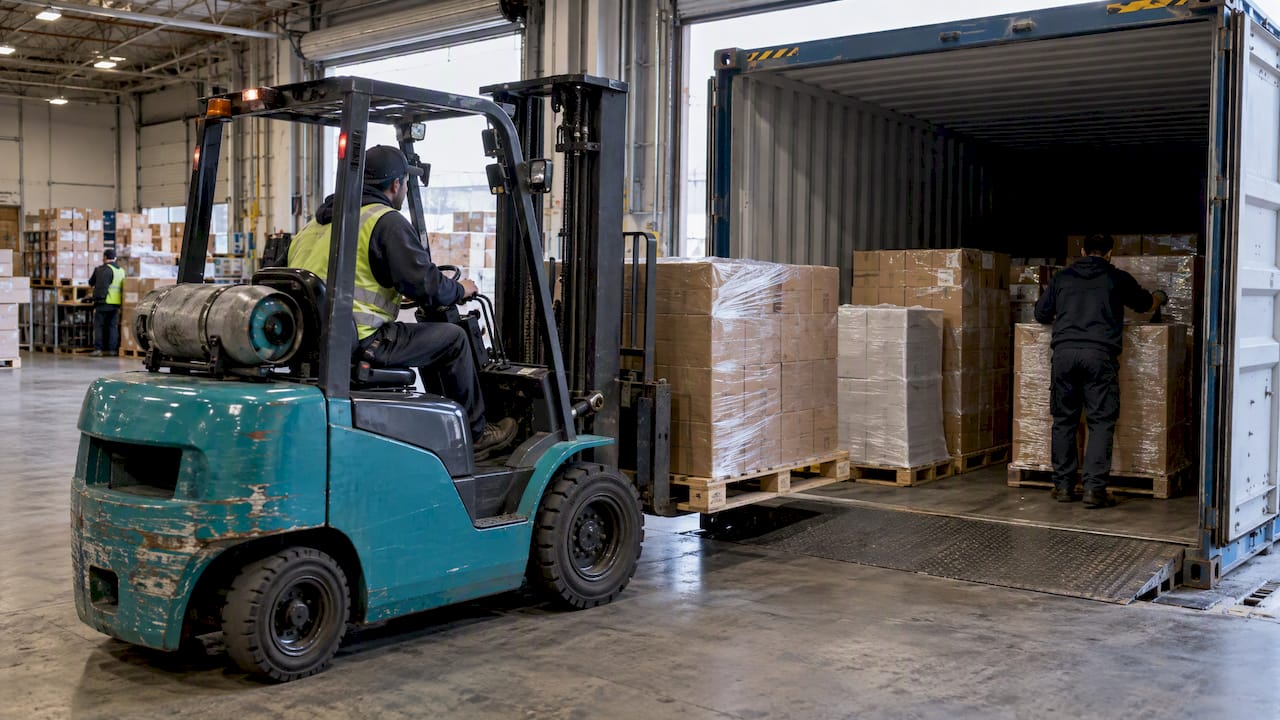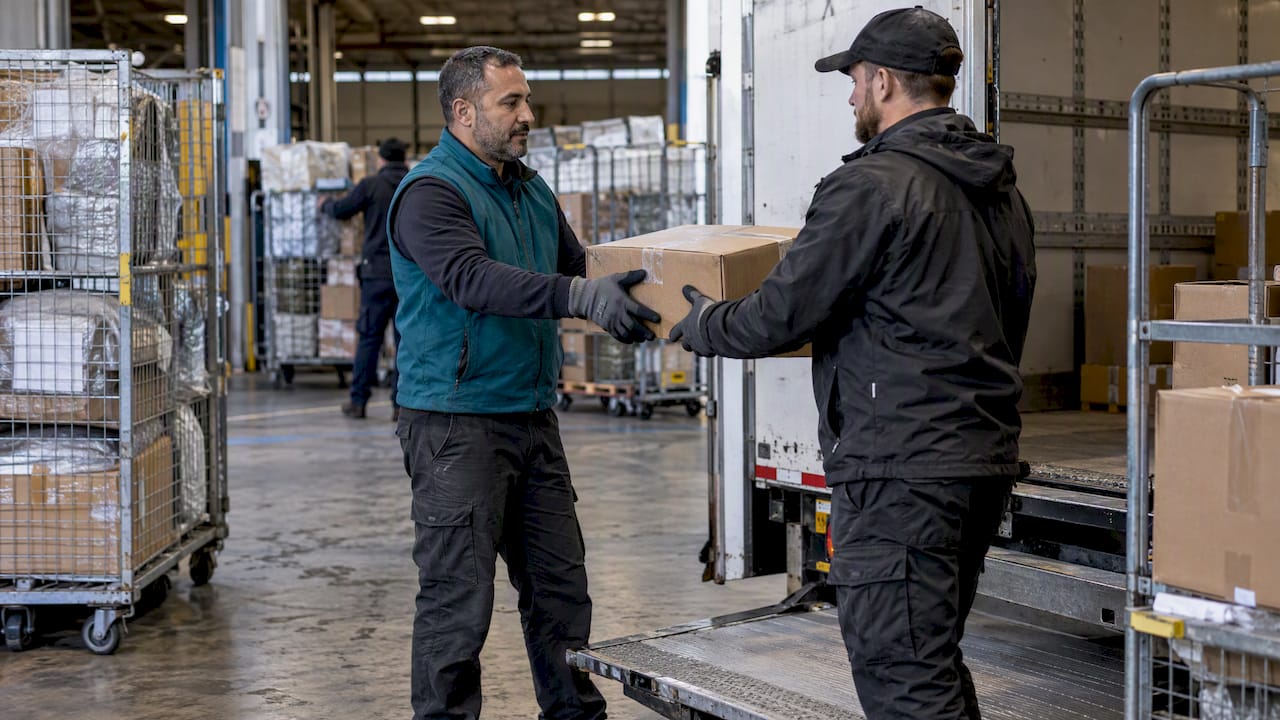
If you know the carrier, paste your tracking number directly into its official tracking page and check the destination and timestamps shown there. If you don’t know the carrier, a reputable multi-carrier tracker that auto-detects the format will build one timeline for you. Either way, if a result looks off, verify it again on the official carrier site and take a screenshot before you do anything else.
TL;DR:
- Copy and paste the number; retyping can cause a false not found result, while destination and postal code checks can reveal a mismatch.
- A label creation notice does not prove carrier possession; wait a day or two for pickup scans, since sorting delays or handoffs can pause updates.
- Treat a destination mismatch or days without scans after label creation as a red flag; verify with the carrier and dispute before buyer protection expires.
- USPS API access validation effective April 2026 affects bulk automated lookups, not individual searches on usps.com; sellers should review Mailer ID requirements.
Table of Contents
- Step-by-step: how to check a single tracking number online
- How trackers and carriers build a timeline
- How to read common tracking statuses and what to expect next
- Troubleshooting and spotting fake tracking or delivery scams
- Important 2026 tracking access and API changes
- How professionals track shipments across carriers
- Integration of shipment tracking with ecommerce platforms and automated notifications
- Handling cross-border tracking complexities and customs clearance updates
- Impact of delays on tracking updates and how businesses communicate exceptions
- Use of mobile apps for shipment tracking and customer engagement
- Tracking multiple shipment modes in multimodal logistics chain
- Common mistakes and simple habits that prevent tracking problems
- Or-ner’s tracking and visibility tools for sellers and logistics teams
- FAQ
- Sources
Step-by-step: how to check a single tracking number online
Checking a tracking number is quick when you follow a consistent order of steps instead of guessing which site to try first.
- Find the tracking number in your order confirmation email, shipping notification, or seller message, and copy it exactly, including any letters.
- If you recognize the carrier name (FedEx, UPS, DHL, USPS, or a regional courier), go straight to that carrier’s official tracking page and paste the number there.
- If the carrier is unknown, or the carrier’s own site returns no result, use a trusted multi-carrier aggregator. These tools detect the number’s format and search across dozens of carrier networks automatically.
- Compare the destination address, postal code, and package weight shown in the tracking details against your order, when that information is available.
- Save proof as you go: a screenshot of the tracking page, the page URL, the exact timestamp, and the carrier name the system identified.
Most single-carrier numbers resolve in seconds once entered correctly. The more common friction point is a number that does not match any known carrier format, which usually means it was mistyped, belongs to a different carrier than expected, or was issued by a fulfillment partner rather than the final-mile courier.
Pro Tip: Copy and paste the tracking number instead of retyping it. A single transposed digit or letter is the most common reason a legitimate shipment shows as “not found.”
How trackers and carriers build a timeline
A tracking page is not a live feed from the truck. It is a sequence of discrete events, each created when a scanner, a handheld device, or a facility system records that the package passed through a checkpoint.
- Label created: the shipper generated a shipping label and the carrier has a record, but the package may not yet be in the carrier’s hands.
- Pickup scan: the carrier physically received the package, either from the shipper or at a drop-off point.
- Hub and transit scans: the package is scanned at sorting facilities as it moves between regions or countries.
- Customs scans: for cross-border shipments, customs authorities or carrier customs brokers log clearance status.
- Last-mile scans: the local delivery carrier scans the package for out-for-delivery and delivery confirmation.
Multi-carrier aggregators work by recognizing the format of a tracking number and, when a shipment changes hands between carriers, following the “linked number” the new carrier assigns to the same package. That is why a single international order can show two or three different tracking IDs stitched into one continuous timeline rather than one number from start to finish.
Gaps between scans are common and usually not a sign of a lost package. A backlog at a sorting hub, a customs hold, or the handoff between an international carrier and a local postal service can all produce a quiet period of a day or more with no new scan. Some tracking events also include item-level metadata like weight or a package description, while others show only the location and timestamp. The absence of detail in one scan is not, by itself, evidence that something went wrong.
How to read common tracking statuses and what to expect next
Tracking language is fairly standardized across carriers, even when the exact wording differs slightly.
- Label created: the shipping label exists, but the carrier may not have the package yet. Wait a short period, often a day or two, before assuming a problem.
- In transit: the package is moving through the network. For cross-border shipments, expect variable delays while customs processing runs, depending on the origin and destination countries.
- Out for delivery: a courier has the package on a vehicle for delivery that day. If the status changes to an attempted delivery, check for a notice left at the door and consider whether a neighbor or building office may have accepted it.
- Delivered: compare the delivery address shown in the tracking record against your actual address, and look for a signature or photo proof of delivery when the carrier provides one, before raising a dispute. Our guide to delivery confirmation walks through what proof-of-delivery data typically includes and how to read it.
Each stage has a rough expected window, but international shipments and peak shipping periods push those windows wider than domestic, off-season deliveries.
Troubleshooting and spotting fake tracking or delivery scams
Not every tracking number you receive is legitimate, and recognizing the warning signs quickly protects both your money and your time.
- Watch for no scans after “label created.” A number that sits at “label created” for many days with zero pickup or transit scans is a common pattern in fake tracking number scams, where sellers supply invalid or recycled numbers to stall buyers.
- Check for a destination mismatch. If the tracking details show a delivery address in a different city or country than yours, treat that as a red flag rather than a clerical error.
- Confirm the number on the carrier’s own site, not a link sent by the seller. Carrier phishing scams frequently route buyers through deceptive links that mimic a carrier’s tracking page while harvesting payment details.
- Act before your buyer-protection window closes. Scammers rely on buyers waiting too long. Fake tracking numbers are often timed specifically to run out the clock on a marketplace’s dispute window, so open a dispute as soon as the tracking looks wrong, even if you are still hoping the package shows up.
- Escalate when needed. Contact the carrier directly to confirm whether the number is valid, then open a dispute with the marketplace or escalate to your payment provider for a chargeback if the seller is unresponsive.
Researchers documented a global surge in fake shipment tracking campaigns in 2025, with mitigation recommendations that include domain protections like DMARC and SPF, public scam alerts, and verification tools for consumers. Many of these campaigns used lookalike domains and spoofed text messages to push shoppers toward fake tracking pages designed to look identical to a real carrier site.
Important 2026 tracking access and API changes
Shoppers checking a single number rarely notice infrastructure changes behind the scenes, but 2026 brought a real one worth knowing about.
- The United States Postal Service introduced tracking access validation effective April 2026, under which programmatic API access is provisioned by Mailer ID and some service providers need new agreements to pull bulk tracking data at scale.
- This change targets large-scale, automated access, not individual lookups. Consumers can still paste a tracking number directly into usps.com and get a result the same way they always have.
- For sellers and service providers, the practical takeaway is to review API documentation and Mailer ID requirements now, since quotas or required credentials for bulk tracking access may shift how aggregator tools and internal systems pull USPS data going forward.
Tracking access validation provisions API access by Mailer ID and may require agreements for certain service-provider access, while keeping standard consumer tracking lookups on usps.com unchanged.
If you only ever check one number at a time as a shopper, this change should not affect your experience, especially if you understand the role of technology in fuel delivery operations which parallels how tracking tech is improving logistics. However, stores or logistics operations handling very large volumes of tracking updates may need to pay closer attention.
How professionals track shipments across carriers
Enterprise logistics platforms solve a different problem than a one-off consumer lookup: keeping a complete, continuous timeline across sea, air, and land legs, often spanning several carriers and countries for a single order. We build those timelines by combining carrier scan data with label metadata and by following linked tracking numbers at each handoff, the same mechanism consumer aggregators use, but applied across an entire catalog of shipments rather than one package.
- Register Mailer IDs where a carrier supports them, since this keeps programmatic access stable as carriers tighten who can pull bulk tracking data.
- Include consistent item-level metadata on labels (weight, description, SKU) so exception handling and customer notifications can reference specific items, not just a generic status.
- Subscribe to carrier tracking webhooks instead of polling, which reduces the delay between a scan happening and a customer notification going out.
- Centralize screenshots, carrier responses, and dispute evidence in one system so a support team can resolve a delivery complaint without digging through email threads.
Pro Tip: If a shipment is stuck between carriers on a cross-border route, contact your fulfillment partner or 3PL first. A carrier support line typically can only speak to the leg of the journey that carrier itself handled.
A single missing scan is usually a carrier-side matter to raise directly. A pattern of missing scans across many orders points to a metadata, integration, or Mailer ID issue worth raising with whichever platform manages your shipping data. Our breakdown of parcel tracking fundamentals goes deeper into what drives tracking reliability at scale.
Integration of shipment tracking with ecommerce platforms and automated notifications
Most online stores do not expect customers to visit a carrier’s site at all. Shipment tracking typically connects to the store’s platform through an API or app integration, pulling status updates into the order page and triggering automated emails or text messages at key milestones like shipment, out for delivery, and delivery confirmation.
This integration matters because it determines how fast a customer learns about a problem. A store pulling tracking data only once a day will show a delayed shipment hours after the carrier already flagged it, while a webhook-based integration updates in close to real time. For sellers running their own catalog, consistent tracking integration also reduces support tickets, since customers who can see an accurate status rarely need to ask “where is my order.”
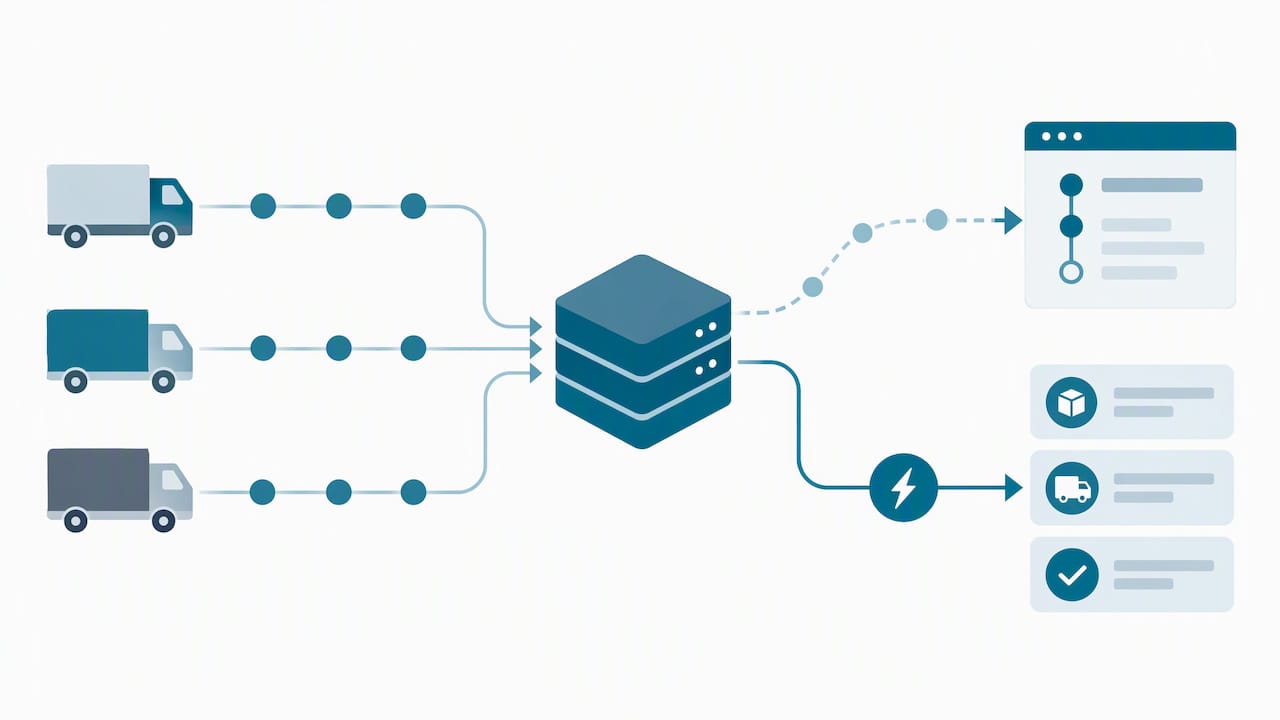
The tradeoff is reliability of the underlying data feed. An integration is only as good as the tracking numbers and carrier scans feeding it, which is why consistent labeling and carrier selection matter as much as the notification system itself. Our guide to the ecommerce shipping workflow covers how tracking data fits into the broader order process from checkout to delivery.
Handling cross-border tracking complexities and customs clearance updates
Cross-border shipments introduce handoffs that domestic tracking never has to deal with. A package might ship with one carrier in the origin country, transfer to a customs broker or postal consolidator, clear customs, and then transfer again to a different local carrier for final delivery. Each handoff can introduce a new tracking number linked to the previous one, and each customs step can pause scanning activity for a period that varies by country and shipment type.
Customs clearance itself is rarely visible in detail on a tracking page. Most trackers show a generic “customs clearance” or “held at customs” status without specifying the reason, whether that is a documentation issue, a duty payment pending, or routine inspection. A shipment sitting in that status for several days is common on busy routes and does not necessarily mean anything has gone wrong.
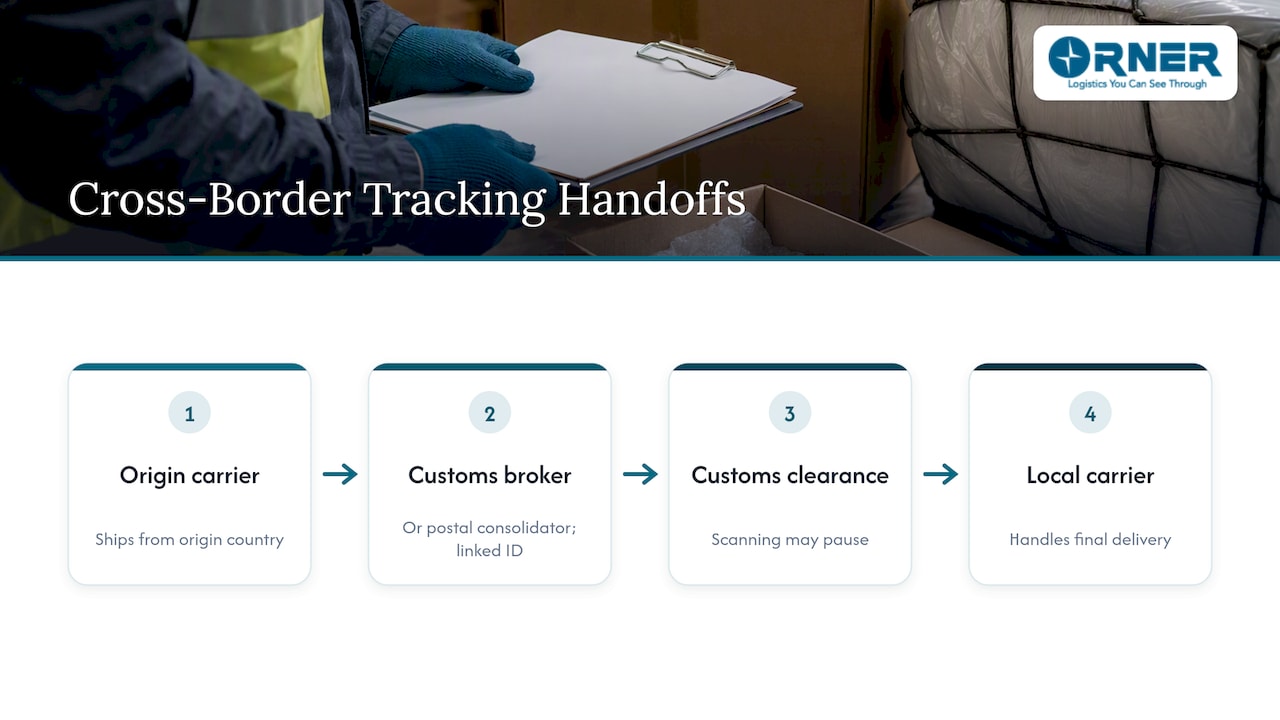
For shoppers, the practical approach is patience paired with verification: check that the destination country and address on the tracking record match your order, and only escalate if the status has not moved for an unusually long stretch relative to similar shipments on that route. For sellers managing cross-border volume, customs documentation accuracy upfront reduces how often shipments stall in this stage. Our cross-border shipping guide covers documentation requirements that affect clearance speed.
Impact of delays on tracking updates and how businesses communicate exceptions
A delay does not always show up as a dramatic status change. Often it looks like silence: the last scan was days ago, and nothing new has appeared since. That gap can come from a scan backlog at a sorting facility, a missed scan during a carrier handoff, or a package physically delayed in transit without anyone recording it.
Businesses that manage shipping at volume typically set internal thresholds for when a quiet shipment counts as an exception worth flagging, rather than waiting for a customer to ask. A shipment with no scan for 48 to 72 hours on a domestic route, for example, might trigger an automatic internal alert long before the customer notices anything is wrong. Exception management systems like this let a support team reach out proactively with an apology and an updated estimate instead of reacting to an angry message days later.
For shoppers without access to that kind of system, the equivalent move is manual: if a shipment status has not changed in longer than similar past orders took, reach out to the seller or carrier before assuming the worst, and keep a record of when you checked and what the status showed.
Use of mobile apps for shipment tracking and customer engagement
Carrier apps and multi-carrier tracking apps serve the same core function as a browser-based tracker, with the added benefit of push notifications that arrive the moment a new scan posts, without the customer needing to check manually. For frequent online shoppers, consolidating tracking across several carriers into one app avoids juggling multiple bookmarked tracking pages.
For businesses, mobile tracking also functions as a customer engagement channel. A delivery notification is a natural moment to prompt a review, suggest a related product, or surface support options, which is part of why many retailers build tracking into their own branded app rather than sending customers to a generic carrier page. The tradeoff is that a branded in-app experience depends entirely on the accuracy of the underlying carrier data feeding it, so the app itself is only as useful as the integration behind it.
Push notifications also reduce a common source of friction: customers who simply forget to check a shipment’s status and only notice a problem well after delivery. A notification at the out-for-delivery stage gives a reader a chance to plan around the delivery window instead of discovering a missed delivery after the fact.
Tracking multiple shipment modes in multimodal logistics chain
A single order can move through several transport modes before it reaches a doorstep: ocean freight for the long-haul international leg, a truck for inland transport, an air freight leg for an expedited portion, and a last-mile courier for final delivery. Each mode has its own scanning cadence and its own tracking system, which is why multimodal shipments often show longer gaps between updates than a pure domestic parcel.
Ocean freight in particular updates far less frequently than parcel tracking. A container might show a departure scan, then nothing until it reaches the destination port days or weeks later, simply because there is no equivalent of a daily sorting-hub scan while a vessel is at sea. Air freight updates more frequently but still on a different cadence than a local courier’s hourly scans.
For a shopper, the practical implication is that a multimodal international order needs a longer patience window than a domestic parcel before a quiet tracking status should raise concern. For sellers managing multimodal freight themselves, keeping one consistent reference number across every leg, rather than relying on each carrier’s own number, is what makes it possible to answer a customer’s “where is my order” question without stitching together four separate systems manually. Our guide on tracking shipments efficiently covers how to manage that handoff across modes.
Common mistakes and simple habits that prevent tracking problems
The biggest mistake I see shoppers make is trusting a tracking link sent directly by a seller instead of going to the carrier’s own site. A link can be dressed up to look legitimate while quietly leading somewhere else entirely. The second most common mistake is noticing an address mismatch on a tracking record and assuming it is a minor glitch rather than a signal worth acting on immediately.
The fix is a short list of habits, not a complicated system. Always re-enter a tracking number manually on the carrier’s official site rather than clicking a forwarded link. Screenshot every tracking result and every seller message the moment something looks off, since that evidence is what a dispute process actually needs. And mark your buyer-protection deadline on a calendar the day you place an order, not the day something goes wrong, so you are never racing a clock you did not know existed.
— Maayan
Or-ner’s tracking and visibility tools for sellers and logistics teams
Running tracking across several carriers gets harder the moment a business ships internationally or sells on more than one platform, and that is exactly where a consolidated system earns its keep. We built our platform around real-time shipment tracking, cross-border visibility, and exception management, so a logistics team sees one timeline per order instead of reconciling scans from five different carrier dashboards.
- Ecommerce sellers get a single view of every order’s status across carriers and shipping modes, from warehouse pickup through final delivery.
- Wholesalers and manufacturers managing freight alongside parcel shipments get customs clearance and warehousing visibility in the same system as last-mile tracking.
- Logistics managers running multi-carrier operations get exception alerts automatically instead of discovering a stalled shipment from a customer complaint.
If consolidated, real-time visibility across your shipments is the piece missing from your current setup, our reliable courier services page is the place to start a conversation about what that looks like for your catalog.
FAQ
How do I track an online shipment?
Paste the tracking number into the carrier’s official tracking page if you know which carrier shipped it, or use a trusted multi-carrier tracker that auto-detects the carrier and builds a single timeline. Always verify results against the carrier’s own site if anything looks inconsistent, such as a mismatched destination address.
Can a scammer fake a tracking number?
Yes. Scammers commonly use invalid, recycled, or mismatched tracking numbers in fake tracking scams designed to stall buyers until a dispute window closes. The clearest warning signs are no scans after “label created,” a destination that does not match your address, and a number the official carrier site does not recognize at all.
What is the best online shipping site to use for tracking?
There is no single official site, since the right choice depends on whether you know the carrier. Go directly to the carrier’s own tracking page when you know who shipped the package, and use a reputable multi-carrier aggregator when the carrier is unknown or you want everything in one timeline.
Can online orders be tracked?
Most online orders include a tracking number in the confirmation email or order details, which can be checked on the carrier’s site or a multi-carrier tracker. Some sellers or fulfillment partners issue a number that only becomes trackable once the carrier physically scans the package, so a short delay between “label created” and the first real scan is normal.
Sources
- Fake Tracking Number Scams: Bogus Shipping Codes | ScamEncyclopedia
- Researchers warn of global surge in fake shipment tracking scams – Infosecurity Magazine
- DMM Advisory | Postal Explorer
- UPS scams: A complete guide to UPS text and email scams