Warehouse management system automation means using software rules, real-time data, and connected hardware to replace manual decisions across receiving, storage, picking, packing, and shipping. The single most important thing operations leaders can do right now: deploy a WMS with solid API connectivity before touching a single conveyor or robot. Software-first sequencing cuts integration risk, gives you the baseline KPIs you need to justify equipment spend, and lets you measure what actually changes.
Three anchors worth knowing before you go further:
- Rockwell Automation’s four-level maturity ladder is the most practical sequencing framework in the industry, running from basic mechanization up through integrated software and robotics.
- SAP distinguishes digital automation (WMS/WCS coordination) from physical automation (AGVs, conveyors, robotics), a distinction that prevents expensive sequencing mistakes.
- Industry summaries from sources like Cyngn report substantial labor productivity gains from automation, with WMS adoption reaching high levels across mid-to-large distribution operations.
The benefits of WMS-driven automation compound quickly once the data backbone is clean. Inventory accuracy climbs, pick rates rise, and labor variance shrinks. None of that happens reliably if you bolt hardware onto a fragmented data environment.
Key Takeaways
Warehouse management system automation delivers its best ROI when the software and data backbone precede any equipment investment, with each maturity level building on measurable KPIs from the one before it.
| Point | Details |
|---|---|
| Software before hardware | Deploy and configure your WMS fully before committing to conveyors, AMRs, or AS/RS systems. |
| Four maturity levels | Rockwell’s ladder (basic → WMS-driven → mechanized → advanced integrated) gives the clearest sequencing framework available. |
| WCS bridges the gap | A WCS or WES layer between WMS and equipment handles real-time control; without it, integration failures are predictable. |
| Ask where agents run | Agentic AI inside the WMS shares audit logs and APIs; external overlays add governance complexity and extend incident recovery time. |
| Or-ner as your foundation | Or-ner’s warehousing and fulfillment platform provides the data visibility and logistics integration that automation projects depend on. |
Table of Contents
- What types of warehouse automation technology should you consider?
- How does automation maturity work, and where does your operation sit?
- How does a WMS connect to physical automation: architecture and integration choices
- A step-by-step roadmap for rolling out WMS automation
- What does WMS automation actually cost, and when does it pay back?
- What operational risks should you plan for before you automate?
- How do you evaluate a WMS for automation-readiness?
- How do leading vendors approach WMS automation?
- What does agentic AI add to warehouse automation, and when should you pilot it?
- Why software-first sequencing is the right call, every time
- Or-ner supports your path from WMS baseline to full automation readiness
- Sources
- FAQ
What types of warehouse automation technology should you consider?
NetSuite’s warehouse automation overview catalogs the main technology categories well. Here is how each one maps to real operational use cases, along with honest tradeoffs.
Automated Storage and Retrieval Systems (AS/RS)
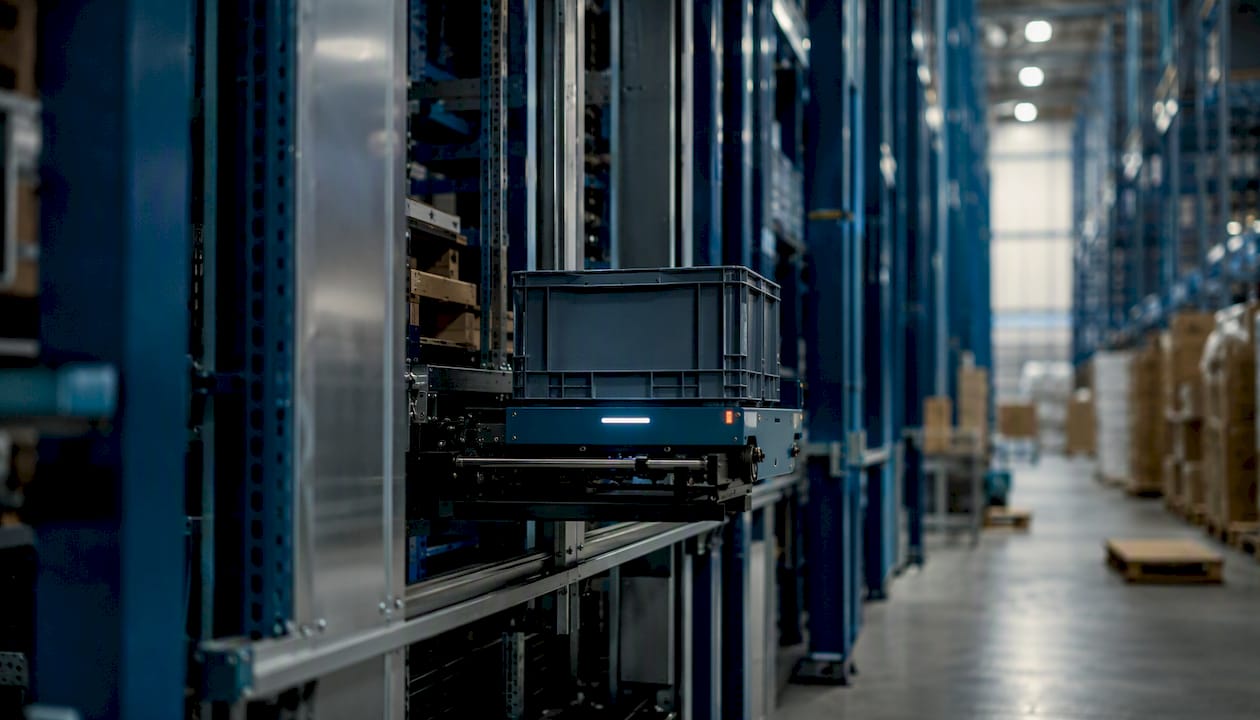
High-density vertical storage that moves totes, pallets, or cartons to a fixed pick station. Best for high-SKU-count, space-constrained facilities with predictable demand. Capital-intensive and inflexible once installed. Throughput per square foot is hard to beat.
Goods-to-Person (GTP)
A subset of AS/RS thinking where the system brings inventory to a stationary picker rather than sending pickers into aisles. Reduces travel time dramatically. Works best when your top-selling SKUs are concentrated enough to justify the infrastructure.
Automated Guided Vehicles (AGVs)
Follow fixed magnetic or optical paths. Reliable in stable, high-volume environments like pallet transport between dock and storage. The fixed-path constraint is the real limitation: layout changes require reprogramming or physical track modification.
Autonomous Mobile Robots (AMRs)
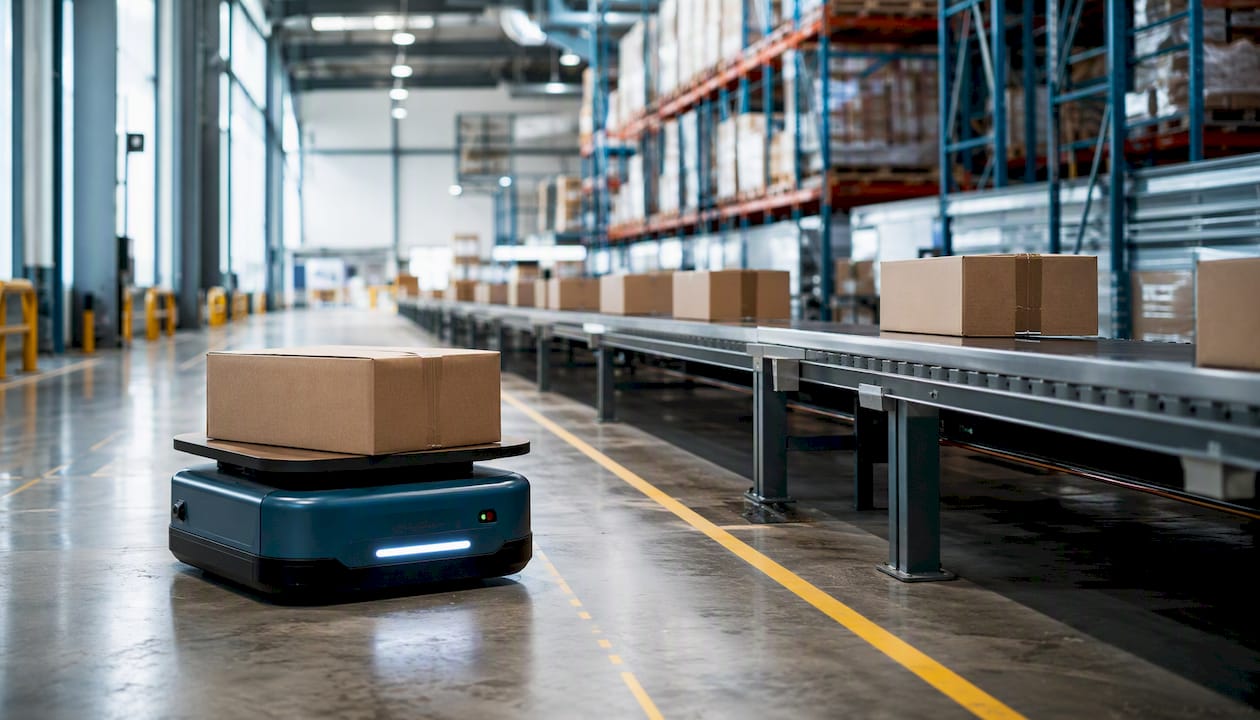
Navigate dynamically using onboard sensors and maps. Better suited to environments with human foot traffic and variable layouts. AMRs can be redeployed across zones without physical infrastructure changes, which makes them the more flexible choice for growing operations.
Conveyors and Sortation Systems
High-throughput linear transport for cartons and polybags. Sortation systems (cross-belt, tilt-tray, sliding shoe) direct items to the right pack station or shipping lane at speed. Excellent ROI at volume; hard to justify below a certain daily unit threshold.
Pick-to-Light and Put-to-Light
Light-directed systems that illuminate the correct bin location for a picker or putter. Reduces cognitive load and training time. Works best in zone-pick or batch-pick environments with moderate SKU counts. Put-to-light is particularly effective in returns processing.
Voice Picking
Hands-free, eyes-free picking directed by audio prompts through a headset. Strong accuracy gains in cold storage and environments where gloves make scanning difficult. Requires clean WMS data and a quiet enough environment for reliable speech recognition.
Robotic Picking (Piece-Picking Arms)
Vision-guided robotic arms that pick individual items from bins or shelves. Technology has matured significantly but still struggles with irregular shapes, soft packaging, and very high SKU variety. Best deployed on high-velocity, consistent-geometry SKUs.
RFID and Automated Data Capture
RFID readers at dock doors, conveyor choke points, and storage zones give real-time inventory visibility without manual scanning. RFID in warehousing cuts cycle-count labor and reduces shrinkage. Passive RFID tags are cost-effective at scale; active tags suit high-value asset tracking.
Quick technology fit guide
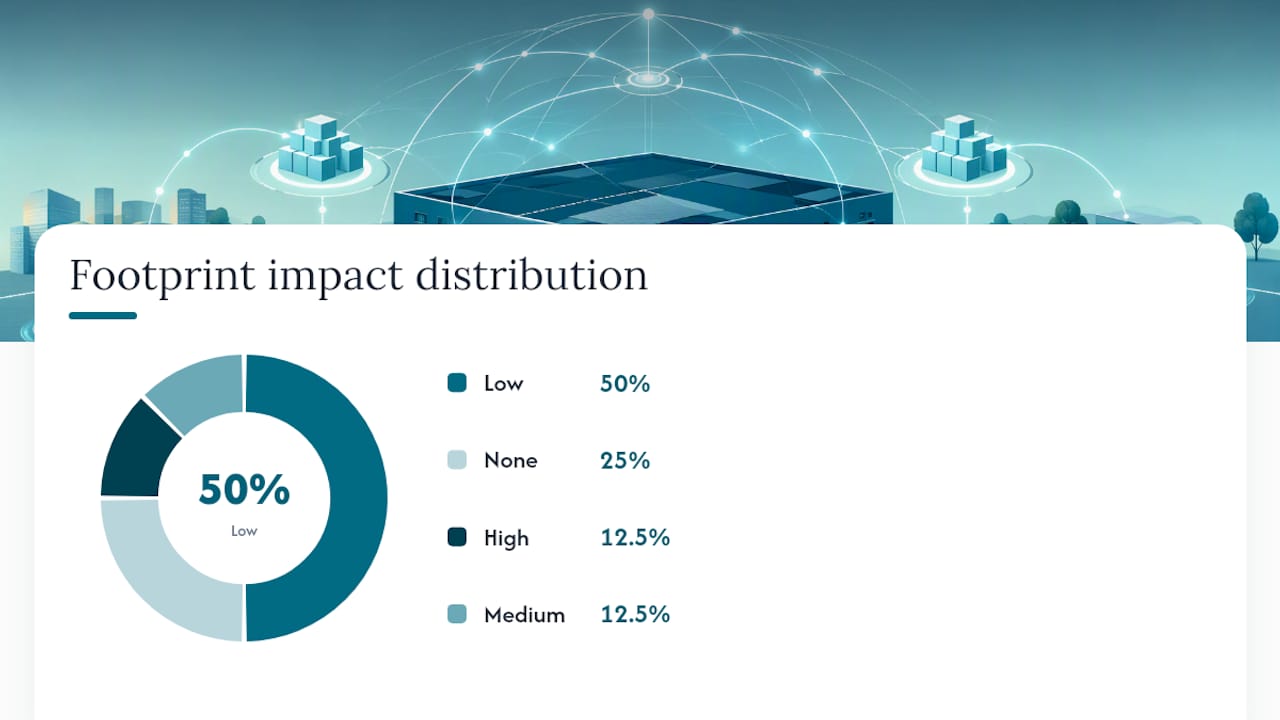
| Technology | Throughput fit | Footprint impact | Flexibility | Primary use case |
|---|---|---|---|---|
| AS/RS | High | High (vertical) | Low | Dense storage, high SKU count |
| AGV | Medium–High | Low | Low | Fixed pallet transport |
| AMR | Low–High | Low | High | Dynamic picking assist |
| Conveyor/Sortation | High | Medium | Low | Carton transport, sort-to-lane |
| Pick-to-Light | Medium | Low | Medium | Zone/batch picking |
| Voice Picking | Medium | None | High | Cold storage, hands-free pick |
| Robotic Picking | Medium | Low | Medium | High-velocity consistent SKUs |
| RFID | Any | None | High | Inventory visibility, cycle counts |
How does automation maturity work, and where does your operation sit?
Rockwell Automation’s four-level ladder gives the clearest sequencing model available. The levels are not just descriptive; they tell you what to buy next and why.
Level 1: Basic warehouse automation
Manual processes with some mechanization (forklifts, basic conveyors, barcode scanners). The WMS, if present, is used mainly for receiving and shipping confirmation. Primary KPI to track: inventory accuracy rate.
Level 2: Warehouse system automation (WMS-driven)
A configured WMS drives directed put-away, wave planning, and pick path optimization. Rules replace supervisor judgment for routine decisions. This is where most mid-size operations should be before spending on hardware. Primary KPI: order cycle time and pick rate per labor hour. Next investment: WMS configuration, API connectivity, and automated data capture (barcode or RFID).
Level 3: Mechanized warehouse automation
Robotics and conveyors assist human workers. AMRs handle transport; conveyors move cartons; pick-to-light guides pickers. The WMS now coordinates with a Warehouse Control System (WCS) or Warehouse Execution System (WES). Primary KPI: units per labor hour and equipment uptime. Next investment: WCS/WES integration, pilot one automation technology at a time.
Level 4: Advanced integrated automation
Software and robotics operate as a unified system. AS/RS, robotic picking, and AI-driven slotting work together under a single control layer. Human roles shift to exception handling, maintenance, and oversight. Primary KPI: cost per order and throughput per square foot. Next investment: AI command layer, predictive maintenance, and digital twin simulation.
The sequencing principle is consistent across all four levels: the control and data backbone must precede equipment investment. Buying robots before your WMS can reliably direct them produces expensive, underperforming hardware. Inventory management automation at Level 2 often delivers faster ROI than jumping straight to Level 3 hardware.
How does a WMS connect to physical automation: architecture and integration choices
SAP’s warehouse automation framework draws a clean line between digital automation (WMS and WCS coordination) and physical automation (the hardware those systems direct). Understanding where each layer sits prevents the most common integration mistakes.
The three-layer stack
WMS (Warehouse Management System): Business logic layer. Manages inventory records, order allocation, labor assignments, and reporting. Talks to ERP, OMS, and TMS systems above it.
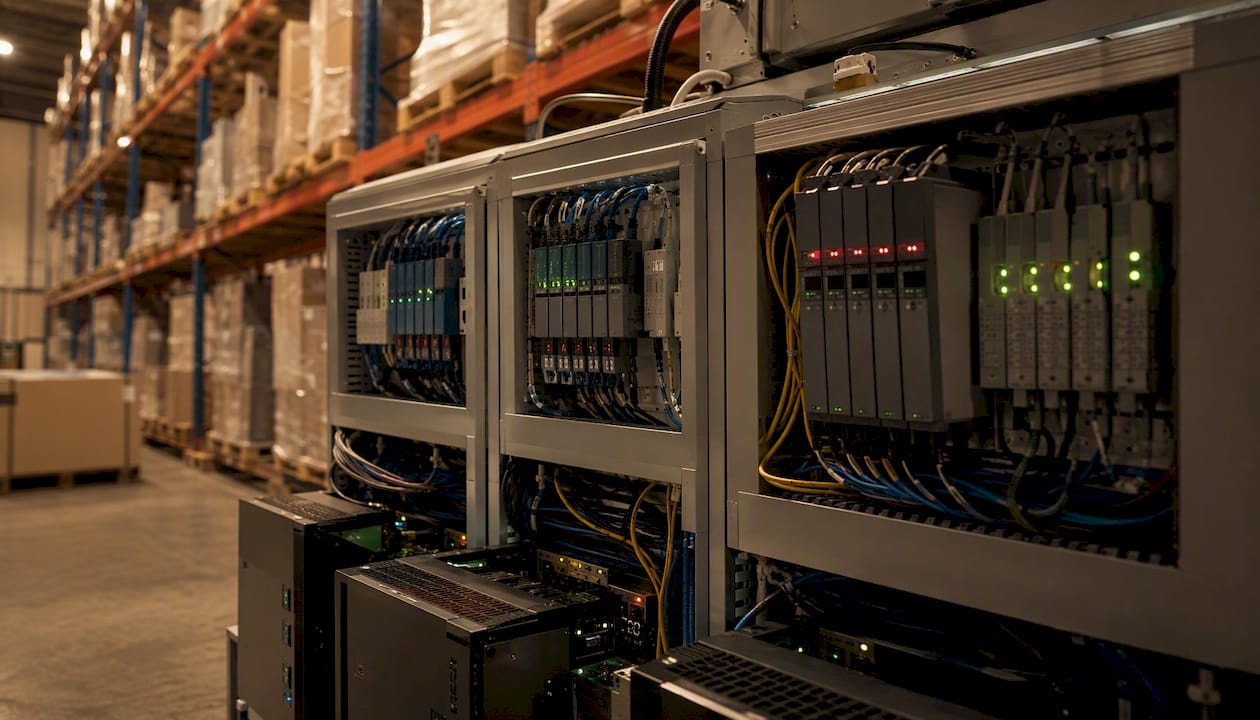
WCS/WES (Warehouse Control/Execution System): Real-time control layer. SSI SCHAEFER’s WAMAS WCS is a well-documented example: it bridges WMS and automation hardware, managing material flow and resource allocation for mixed human/machine operations in real time.
PLCs and Equipment Controllers: Device-level layer. Conveyors, sorters, AS/RS cranes, and robotic arms each have their own controllers. The WCS talks to these; the WMS generally does not.
Three integration patterns and their tradeoffs
Tight coupling (WMS + embedded WCS): The WMS vendor provides WCS functionality natively. Fewer integration points, simpler audit trail, faster incident resolution. The tradeoff is vendor dependency: switching WMS means replacing WCS too.
Separate orchestration layer: A standalone WES sits between WMS and equipment. More flexibility to swap components; better suited to multi-vendor equipment environments. Adds integration complexity and requires clear ownership of the middleware layer.
Hybrid model: WMS handles business logic; a lightweight WCS handles equipment control; an AI or analytics layer sits above both for decision support. This is where most large operations are heading. The role of AI in logistics is increasingly at this orchestration layer rather than inside individual systems.
Operational implications
- Audit logs: Tight coupling produces one log surface. Separate layers mean incident forensics require stitching logs from multiple systems, which extends recovery time.
- Latency: Real-time conveyor control cannot tolerate WMS round-trip latency. WCS must handle sub-second decisions locally.
- Error handling: Define ownership explicitly. When a conveyor jam triggers a WCS exception, who resolves it: the WCS team, the WMS team, or the integrator?
- API maturity: REST APIs with event-driven webhooks are the current standard. Older WMS platforms using flat-file or FTP-based integration create bottlenecks at scale.
| Integration pattern | Best for | Key risk | Audit complexity |
|---|---|---|---|
| Tight WMS+WCS | Single-vendor, mid-size ops | Vendor lock-in | Low |
| Separate WES | Multi-vendor equipment | Middleware ownership gaps | Medium |
| Hybrid (WMS+WCS+AI layer) | Large, complex operations | Governance overhead | High |
A step-by-step roadmap for rolling out WMS automation
Physical automation choices should be validated by feasibility studies and simulation before any capital commitment, as Rockwell Automation’s implementation guidance consistently emphasizes. Here is a phased approach that holds up in practice.
Phase 1: Pre-implementation assessment
- Map your current state. Document order volume, SKU count, pick paths, labor hours per order, and inventory accuracy. These are your baseline KPIs.
- Audit your data quality. WMS automation fails on dirty data. Check location accuracy, unit-of-measure consistency, and receiving discrepancy rates.
- Inventory your integrations. List every system the WMS must connect to: ERP, OMS, TMS, carrier APIs, and any existing equipment controllers.
- Assess layout constraints. Warehouse layout planning for AS/RS or GTP systems often requires structural changes. Get a feasibility study before sizing equipment.
- Define success metrics. Pick three to five KPIs you will track through the pilot: pick rate, order accuracy, inventory accuracy, cost per order, and labor hours per unit shipped.
Phase 2: Pilot design and execution
- Scope the pilot tightly. One zone, one workflow, one technology. A pick-to-light pilot in a single zone is more informative than a broad rollout across the building.
- Set a timeline. Most WMS pilots run 60–90 days before producing statistically meaningful KPI data. Equipment pilots (AMRs, conveyors) typically need 90–120 days.
- Run parallel operations. Keep the manual process running alongside the automated one during the pilot. This gives you a clean comparison and a fallback.
- Instrument everything. Log exceptions, downtime events, and labor variance daily. Patterns in the first 30 days often reveal integration gaps you did not anticipate.
Phase 3: Integration and scale
- Close integration gaps. Address every exception category from the pilot before scaling. An exception rate above 2% in a pilot will multiply at full scale.
- Automate data collection. Deploy barcode scanning or RFID at every inventory touch point before adding physical automation. Clean real-time data is what makes equipment decisions reliable.
- Validate security basics. Segment automation networks from corporate IT. Require authentication on all API endpoints. Log all system-to-system calls.
Phase 4: Workforce and change management
- Train before go-live, not during. Classroom training on WMS workflows, followed by supervised floor practice, reduces go-live errors significantly.
- Address resistance directly. The most common source of employee resistance is fear of job loss. Be specific about role changes: most automation shifts workers from repetitive transport to exception handling, quality control, and equipment oversight.
- Create a feedback loop. Floor workers catch integration failures faster than any monitoring system. A structured daily exception log reviewed by the ops team catches problems early.
Phase 5: Safety and compliance
- Define exclusion zones for physical automation. AMRs and conveyors require clearly marked human-exclusion or caution zones. Follow OSHA guidelines and ANSI/ITSDF B56.5 for AGV/AMR safety.
- Conduct pre-launch safety drills. Run a cross-functional incident drill before go-live. Test emergency stop procedures, equipment lockout/tagout, and escalation paths.
Pro Tip: Before signing any automation contract, ask the vendor for a documented rollback plan. If they cannot describe how to revert to manual operations within 24 hours during a system failure, that is a gap in their implementation methodology, not yours.
What does WMS automation actually cost, and when does it pay back?
Cost structure varies widely by automation level, but the drivers are consistent across operations. Understanding them lets you build a realistic business case rather than relying on vendor-supplied ROI projections.
Core cost drivers
- Software licensing: WMS platforms range from subscription SaaS models to perpetual enterprise licenses. Integration modules, API connectors, and AI add-ons typically carry separate fees.
- Integration and middleware: Connecting WMS to ERP, OMS, and equipment controllers often costs as much as the WMS license itself, particularly in legacy environments.
- Hardware: AMRs, conveyors, AS/RS systems, and sortation equipment represent the largest capital outlay. Hardware costs have declined as the market has matured, but installation and commissioning add 15–25% on top of equipment list prices.
- Facility rework: AS/RS and GTP systems frequently require structural modifications, power upgrades, and floor-level changes. Budget for this separately; it is consistently underestimated.
- Implementation services: Systems integrators typically charge for project management, configuration, testing, and go-live support. For mid-size operations, this often runs 20–40% of total project cost.
- Ongoing maintenance and support: Annual maintenance contracts for enterprise WMS platforms and hardware service agreements are recurring costs that belong in the business case from day one.
Building a realistic ROI model
Start with unit economics: labor cost per order picked today versus projected labor cost per order after automation. Layer in throughput gains (more orders per shift with the same headcount) and error-reduction savings (fewer returns, re-picks, and customer credits). Labor cost impacts from automation are the largest single ROI driver in most operations.
Most operations land somewhere between those bands.
Payback timelines by level:
- Level 2 (WMS-driven): 12–24 months. Lower capital, faster deployment, immediate accuracy gains.
- Level 3 (mechanized): 24–48 months. Higher capital, longer commissioning, but throughput gains justify the timeline at sufficient volume.
- Level 4 (advanced integrated): 36–60 months or longer. Justified by scale, labor market constraints, and competitive throughput requirements.
Sensitivity checklist
The variables that move the ROI model fastest:
- Labor cost per hour: Higher labor costs compress payback timelines significantly.
- Throughput increase: If volume grows 20% post-automation, the per-unit cost drops faster than any other lever.
- Equipment uptime: A conveyor running at 85% uptime versus 95% uptime changes the labor-offset calculation materially.
- Integration complexity: Every unexpected integration gap adds cost and delays the payback clock.
What operational risks should you plan for before you automate?
Most automation projects that underperform do so for predictable reasons. Knowing the failure modes in advance is the cheapest form of risk management.
Single-vendor dependency. Tight WMS+WCS coupling from one vendor simplifies operations but creates leverage for that vendor at renewal. Negotiate multi-year pricing caps and data portability clauses before signing.
Brittle integrations with legacy ERPs. Older ERP systems often lack the API maturity modern WMS platforms expect. Flat-file integrations introduce latency and error-prone reconciliation. Audit your ERP’s integration capabilities before selecting a WMS.
Inadequate data fidelity. Automation amplifies data errors. Fix data quality before go-live, not after.
Maintenance backlogs. Physical automation requires scheduled preventive maintenance. Operations that defer maintenance to protect throughput accumulate failure risk. Build maintenance windows into shift schedules from day one.
Cybersecurity exposure. Automation networks connecting PLCs, AMRs, and WCS to corporate IT create attack surfaces. Segment networks, require authentication on all API endpoints, and include automation systems in your security incident response plan.
Early warning signs
- Rising exception rates in WMS task queues (more than 2% is a signal worth investigating immediately).
- Labor variance trending upward despite automation investment (often indicates equipment downtime absorbing labor savings).
- SLA miss rates climbing on specific order types (usually points to a workflow the automation was not configured to handle).
Contract and procurement red flags
- SLAs that measure uptime at the system level but not at the integration level. An integration that fails silently is worse than one that fails loudly.
- Unclear ownership of the middleware layer. If the WMS vendor and the equipment vendor both point at the integrator when something breaks, you have a governance gap.
- Training and support windows that end at go-live. The first 90 days post-launch are when most integration failures surface. Support coverage should extend through that period.
Mitigation tactics: staged rollouts with defined rollback criteria, observability tooling that monitors both WMS task queues and equipment telemetry, and cross-functional incident drills run before go-live.
How do you evaluate a WMS for automation-readiness?
The WMS you choose today is the control backbone for every automation investment you make over the next decade. Evaluating it on current features alone is a mistake. Evaluate it on extensibility.
Vendor evaluation checklist
- API maturity: Does the WMS offer REST APIs with event-driven webhooks, or is it still file-based? Ask for the API documentation before the demo.
- WCS/WES support: Can the WMS natively coordinate with equipment controllers, or does it require a separate WES? What equipment vendors are in the certified partner ecosystem?
- Agent/AI support: Where do AI agents run? Inside the WMS (preferred for auditability) or as an external overlay? This question matters more than any AI feature list.
- Observability: Does the platform provide real-time dashboards for task queue depth, exception rates, and integration health? Or do you need a separate BI tool to see what is happening?
- Security and compliance: SOC 2 Type II certification, role-based access control (RBAC), and audit logs for all system actions are baseline requirements for any enterprise deployment.
- Deployment options: Cloud-native, on-premise, or hybrid? Cloud-native platforms update faster and reduce infrastructure overhead; on-premise may be required for certain regulated or air-gapped environments.
Questions to ask in demos and RFPs
- Show me how a WMS task exception is logged, escalated, and resolved. Walk me through the audit trail.
- How does your platform connect to [specific ERP]? What is the integration architecture, and who owns it?
- What happens to in-flight orders during a WMS outage? How does the system recover?
- Which robotics and conveyor vendors are in your certified integration ecosystem?
- Where do your AI or agent features run? Are they inside the WMS transaction layer or an external service?
- What does your implementation methodology look like for a 90-day pilot?
Red flags that indicate a vendor is not automation-ready
- Closed or proprietary APIs with no published documentation.
- No native WCS features and no certified WES partner ecosystem.
- AI features described as a roadmap item rather than a shipping capability.
- Audit logs that cover WMS transactions but not integration events.
- A demo environment that cannot show real-time equipment status alongside WMS task queues.
WMS features and automation-readiness criteria are worth reviewing in detail before shortlisting vendors.
How do leading vendors approach WMS automation?
Three vendor patterns are worth understanding, not as rankings, but as architectural reference points.
Oracle NetSuite WMS takes a cloud-native, software-first approach. NetSuite’s automation framework emphasizes starting with data collection automation (barcode, RFID) and WMS-driven process rules before adding physical equipment. Integration style is API-first, with connectors to major ERP and ecommerce platforms. Best suited to mid-market operations that want a single vendor for ERP and WMS with a clear path to adding equipment automation later.
SAP Extended Warehouse Management (EWM) is the enterprise-scale option. SAP’s framework explicitly separates digital automation (WMS/WCS coordination) from physical automation (AGVs, conveyors, robotics) and provides native WCS-like features for real-time equipment coordination within the SAP ecosystem. Integration style is tight within SAP’s stack; connecting to non-SAP equipment requires certified middleware. Best suited to large, complex operations already running SAP ERP.
SSI SCHAEFER (WAMAS WCS/WES) represents the control-layer specialist pattern. WAMAS WCS sits between WMS and automation hardware, managing material flow and resource allocation for mixed human/machine operations in real time. SSI SCHAEFER’s approach is hardware-agnostic at the WCS level, making it a strong choice for operations running multi-vendor equipment environments. Integration style is layered orchestration rather than tight WMS coupling.
The systems integrator pattern is worth naming separately. Many large operations use a WMS from one vendor, a WCS/WES from another, and a systems integrator to own the middleware. This maximizes flexibility but requires clear contractual ownership of every integration layer. The risk is the “three-way blame” problem when something breaks.
| Vendor pattern | Integration style | Best fit | Key tradeoff |
|---|---|---|---|
| Oracle NetSuite WMS | API-first, cloud-native | Mid-market, ERP+WMS unified | Less native WCS depth |
| SAP EWM | Tight SAP ecosystem | Large enterprise, SAP shops | Complexity outside SAP stack |
| SSI SCHAEFER WAMAS | Layered WCS orchestration | Multi-vendor equipment ops | Requires WMS partner |
| Systems integrator | Custom middleware | Complex, multi-vendor | Ownership and support gaps |
What does agentic AI add to warehouse automation, and when should you pilot it?
Agentic AI in warehouse operations is meaningfully different from a recommendation engine or a dashboard alert. A recommendation engine surfaces a suggestion; an agent acts on it, within defined guardrails, without waiting for a human to click “approve.”
Manhattan Associates makes the governance point clearly: where agents run matters as much as what they do. Agents running inside the WMS act through the same APIs and land in the same audit logs as human users. Agents running as an external overlay add integration complexity and create layered audit problems. When an agent-triggered action causes an inventory discrepancy, incident forensics that require stitching logs from multiple systems can materially extend recovery time.
NVIDIA’s Multi-Agent Intelligent Warehouse (MAIW) blueprint takes this further: a production-ready AI command layer that unifies WMS, ERP, IoT, and documents into a single operational intelligence system, with specialized agents for equipment monitoring, safety, demand forecasting, and document processing. The MAIW architecture includes built-in observability, role-based access control, and safety guardrails. That is the right design posture for production use.
When to pilot an AI command layer
Pilot conditions that indicate readiness:
- WMS data quality is consistently above 98% accuracy (agents amplify data errors as fast as they amplify good decisions).
- Integration architecture is documented and observable (you can see what every system is doing in real time).
- You have defined RBAC and audit log requirements before the pilot starts, not after.
- You have a specific, measurable problem the agent is meant to solve: exception resolution time, replenishment cycle time, or equipment downtime prediction.
What good looks like in a pilot
- Exception resolution time drops measurably (a 20–30% reduction is a reasonable target for a well-scoped pilot).
- Agent actions are explainable: every decision has a logged rationale a human can review.
- No agent action bypasses a defined safety guardrail during the pilot period.
- Human operators report that the agent’s recommendations are correct and useful, not just frequent.
Governance requirements for production
- Audit logs: Every agent action logged with timestamp, triggering condition, and outcome.
- RBAC: Agents operate under defined permission scopes. No agent should have broader system access than the human role it is assisting.
- Observability: Real-time dashboards showing agent activity, exception rates, and intervention frequency.
- Safety guardrails: Hard limits on what agents can do autonomously (e.g., agents can recommend a replenishment order but cannot release it above a defined dollar threshold without human approval).
Warehouse automation trends including agentic AI are moving fast. The operations that will benefit most are those that build the data and governance foundation first.
Pro Tip: Before piloting any agentic AI feature, document your current exception resolution process step by step. That documentation becomes your baseline, your audit template, and your rollback procedure if the pilot does not perform.
Why software-first sequencing is the right call, every time
The temptation in automation projects is to lead with the visible: robots, conveyors, the equipment you can point to in a vendor demo. The operations that get the best outcomes do the opposite.
Every large-scale automation failure I have seen in logistics traces back to the same root cause: equipment was deployed before the data and control backbone could support it. The robots arrive, the WMS cannot reliably direct them, and the operation ends up running a parallel manual process to cover the gaps. That is not automation. That is expensive redundancy.
The staged approach works because it forces discipline. You cannot move from Level 2 to Level 3 on Rockwell’s ladder without clean WMS data, documented integration points, and measurable baseline KPIs. Those requirements are not bureaucratic overhead. They are the conditions under which equipment investment actually pays back.
One practical priority for operations leaders starting now: spend the first 90 days on data quality and WMS configuration before evaluating any hardware. Pick rate, inventory accuracy, and order cycle time measured at the end of that period will tell you more about your automation readiness than any vendor assessment.
The second priority: ask every vendor where their AI agents run. That single question separates the platforms that are genuinely automation-ready from the ones that are marketing a roadmap.
Or-ner supports your path from WMS baseline to full automation readiness
Getting from a WMS baseline to a fully integrated automated operation requires more than software. It requires a logistics partner that understands fulfillment operations end to end, from inventory management and warehousing to cross-border shipping and real-time tracking.
Or-ner’s platform connects warehousing, fulfillment, and freight operations under a single visibility layer, giving operations teams the data foundation that makes automation investments pay off. Whether you are evaluating WMS options, planning a pilot, or scaling an existing automated operation, Or-ner’s fulfillment expertise and global warehouse network give you a practical starting point. Start with Or-ner’s freight booking process to see how integrated logistics operations work in practice, and contact the Or-ner team to discuss a warehousing assessment for your operation.
Sources
- Warehouse and Fulfillment Automation | Rockwell Automation
- Warehouse automation: What is it, how it works, today’s trends – SAP
- Warehouse Automation Explained: Trends, Types & Best Practices | NetSuite
- Agentic AI Has Arrived in WMS. Here’s What’s Actually Different — And What Buyers Should Be Asking.
- Multi-Agent Intelligent Warehouse AI command layer enables operational excellence and supply-chain intelligence | NVIDIA Developer
- WAMAS WCS – Fulfilment Software for the Automated Warehouse | SSI SCHAEFER
FAQ
What are the four types of warehouse management systems?
WMS platforms generally fall into four categories: standalone WMS (dedicated warehouse software), ERP-integrated WMS (built into platforms like SAP EWM or Oracle NetSuite), cloud-based SaaS WMS, and supply chain suite WMS (bundled with TMS, OMS, and labor management). The right type depends on your ERP environment, IT infrastructure, and automation roadmap.
What are the three levels of warehouse automation?
Most practitioners use a three-to-four level model. At the base level, basic mechanization handles physical movement with minimal software direction. The middle level adds WMS-driven process automation: directed put-away, wave planning, and pick optimization. The advanced level integrates robotics, conveyors, and AI-driven decision-making under a unified WMS/WCS control layer. Rockwell Automation’s four-level ladder adds a distinct “mechanized” stage between WMS-driven and fully integrated automation.
What new technology is changing warehouse management?
Agentic AI is the most significant emerging shift. Unlike recommendation engines that surface alerts, agents act autonomously within defined guardrails, resolving exceptions, triggering replenishment, and coordinating equipment without waiting for human approval. NVIDIA’s MAIW blueprint and Manhattan Associates’ WMS agent architecture are two production-grade examples of where this is heading.
What are the four types of automation systems?
The four broad automation system types in warehousing are: fixed automation (conveyors, AS/RS), programmable automation (AGVs with configurable paths), flexible automation (AMRs with dynamic navigation), and intelligent automation (AI-driven WMS/WCS with agentic decision-making). Most modern operations combine two or more types under a single WCS or WES control layer.
How long does a WMS automation pilot typically take?
A WMS configuration pilot (process automation, directed picking, RFID data capture) typically produces meaningful KPI data within 60–90 days. Equipment pilots involving AMRs or conveyors generally need 90–120 days to reach stable throughput and reliable exception data. Running parallel manual operations during the pilot period is standard practice.