TL;DR:
- Creating accurate shipping labels is essential for smooth package delivery, cost control, and customer satisfaction.
- Automating label creation with shipping software improves efficiency, reduces errors, and cuts costs, especially for high-volume shippers.
A shipping label is a standardized carrier routing document that includes the sender address, recipient address, service class, tracking barcode, and a high-contrast scannable code. Every package you ship needs one to move through the carrier network without delays, surcharges, or failed deliveries. Knowing how to create shipping labels correctly is one of the most practical skills an ecommerce seller can develop. Get it wrong, and you pay for it in rerouting fees, customer complaints, and returned packages. Get it right, and your order fulfillment process runs predictably, every time.
What do you need before creating a shipping label?
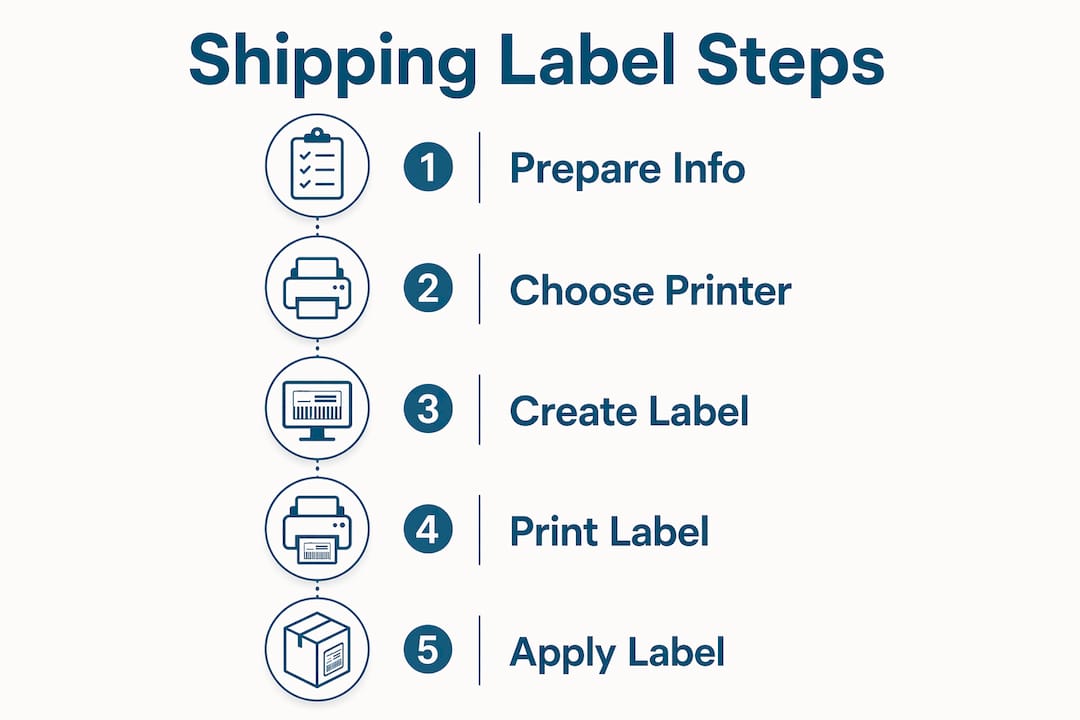
Preparation prevents most label errors. Before you generate shipping labels for any package, gather four categories of information: complete sender and recipient addresses, package weight, package dimensions, and your carrier account credentials.
Shipment data checklist:
- Full sender name, street address, city, state, and ZIP code
- Full recipient name, street address, city, state, and ZIP code (verified, not assumed)
- Package weight in pounds and ounces
- Package dimensions: length, width, and height in inches
- Declared value if required by the carrier or service type
- Carrier account number or guest access credentials
Address accuracy matters more than most sellers realize. Address validation can prevent address-related rerouting fees, saving shippers $5 to $15 per package. That adds up fast when you ship hundreds of orders a month.
Printer options split into two categories. A standard inkjet or laser printer works for low-volume shipping. You print on 8.5×11 inch paper, then trim and tape the label to the box. That process increases labor time and introduces scanning errors. The industry standard label size is 4×6 inches, required by USPS, UPS, and FedEx for automated processing. Thermal label printers like the Rollo or DYMO 4XL print directly on 4×6 inch label stock, with no ink costs and no trimming.
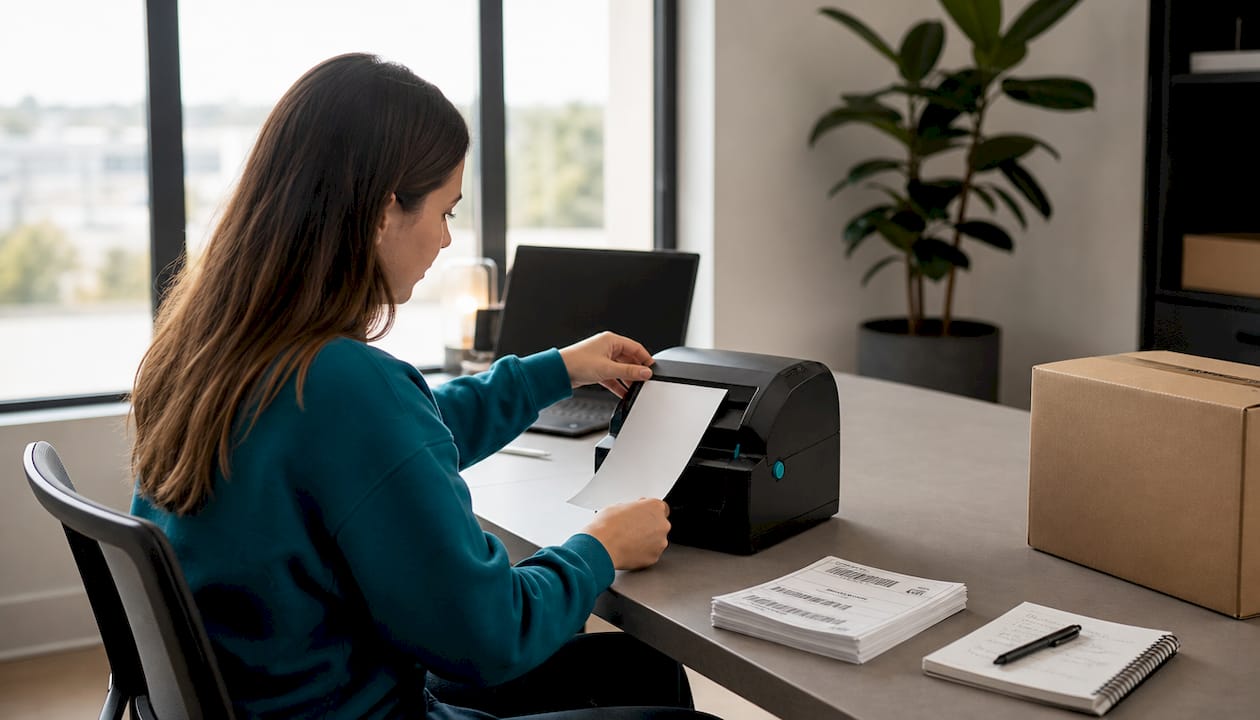
Carrier account vs. guest shipping: A carrier account gives you access to saved addresses, shipment history, and sometimes negotiated rates. Guest shipping works for one-off packages but offers no rate advantages and requires re-entering all data each time.
Pro Tip: Before printing any label, run the recipient address through a USPS address validation tool or your shipping platform’s built-in checker. One wrong digit in a ZIP code can send a package to the wrong city.
| Format | Size | Best for |
|---|---|---|
| Standard paper label | 8.5×11 in, trimmed | Occasional, low-volume shipping |
| Thermal label | 4×6 in | Daily or high-volume shipping |
| Carrier-specific label | 4×6 in | Carrier portal printing |
How to create shipping labels using carrier websites
Carrier portals are the most direct way to create labels for packages without third-party software. USPS, UPS, and FedEx each offer online tools that walk you through the process step by step.
Step-by-step process for carrier portal label creation:
- Log in to your carrier account or select the guest option on the carrier’s website.
- Enter the sender address. Most portals auto-fill this from your account profile.
- Enter the recipient’s full address, including apartment or suite numbers.
- Select the package type: box, envelope, or tube.
- Enter the package weight and dimensions.
- Choose a service level: ground, priority, express, or overnight.
- Add any special services: signature confirmation, insurance, or Saturday delivery.
- Review the rate and confirm the purchase.
- Download the label as a PDF.
- Print at 100% scale. Never scale to fit. Scaling distorts barcodes and causes scan failures.
- Affix the label to the largest flat surface of the package before dropping it off.
Carrier portals charge full retail rates without commercial discounts. That is fine for occasional shipments. For sellers shipping more than a few packages a week, the cost difference between retail and commercial rates becomes significant quickly.
Manual entry errors are also a real risk. Switching between carrier sites for different shipments creates operational bottlenecks that slow down fulfillment. Manual label creation suits low-volume shippers but lacks the cost efficiency and speed that growing operations need.
Pro Tip: Always download and save the label PDF before closing the browser window. Carrier portals do not always let you reprint a purchased label without contacting support.
How does shipping software speed up label generation?
Shipping software changes the label creation workflow from a manual, one-at-a-time process into a batch operation. You import orders from your ecommerce platform, validate addresses in bulk, select carrier and service rules, and print dozens of labels in a single session.
The core advantages of shipping software include:
- Batch printing: Print 50 or 500 labels in one run instead of one at a time.
- Multi-carrier rate shopping: Compare USPS, UPS, and FedEx rates side by side for each shipment.
- Commercial discounts: Third-party shipping platforms offer commercial-tier discounts up to 5% on UPS rates without monthly fees.
- Address validation at scale: Catch bad addresses before labels print, not after packages ship.
- Error reduction: Shipping software automates validation and formatting, reducing manual errors and improving consistency across all labels.
- API integration: Connect directly to Shopify, WooCommerce, Amazon, or any major ecommerce platform to pull order data automatically.
The typical workflow in a shipping platform looks like this: orders sync from your store, the platform flags any address issues, you apply a shipping rule (for example, all orders under one pound ship USPS First Class), and labels generate automatically. You review, print, and hand off to the carrier.
Transitioning from manual to automated batch processing standardizes label size, barcode placement, and service codes, reducing bottlenecks across the fulfillment operation. That consistency matters when carriers audit your labels for compliance.
For equipment, thermal printers eliminate ink costs, speed up printing, and produce durable, smudge-proof labels. They are the right investment once you ship more than 20 to 30 packages per week. Logistics trends confirm that software adoption in shipping workflows continues to accelerate as sellers prioritize speed and accuracy over manual processes.
Pro Tip: Set up carrier service rules in your shipping software based on package weight thresholds. This removes the manual carrier selection step entirely and keeps your label costs consistent.
Best practices for printing and applying labels
A perfectly created label can still fail if it is printed poorly or placed incorrectly on the package. Carriers use automated scanners at sorting facilities, and those scanners have no tolerance for smeared ink, wrinkled labels, or barcodes covered by tape.
Follow these placement and printing rules on every shipment:
- Print at 100% scale, never “fit to page.” Scaled barcodes fail carrier scans.
- Use the 4×6 inch label format. Using 8.5×11 inch labels requires trimming and taping, which increases labor time and scanning errors.
- Place the label on the largest flat surface of the box, away from edges, corners, and seams.
- Keep labels at least 0.5 inches from box edges and keep them flat to reduce package exceptions.
- Never apply clear packing tape directly over the barcode. Tape glare causes scan failures at sorting facilities.
- If you must protect the label from moisture, use a label pouch or apply tape only to the edges, not over the barcode.
- Check that the printed text is sharp and fully black. Faded or gray text signals a low-ink or low-heat setting issue.
Thermal printers produce the most reliable output for carrier compliance. They print directly onto label stock using heat, so there is no ink to smear and no toner to run out mid-batch. For sellers shipping in humid environments or with packages that may sit in transit for several days, thermal labels hold up far better than inkjet prints.
Pro Tip: After printing a batch, scan one label with your phone’s camera before applying any of them. If your phone reads the barcode, the carrier scanner almost certainly will too.
What are the most common shipping label mistakes?
Label errors cost money in ways that are not always obvious at first. The most frequent mistakes fall into three categories: address problems, dimension and weight errors, and barcode quality failures.
Address problems are the most expensive. Address validation prevents rerouting fees of $5 to $15 per package. At scale, that is a real budget line. Common address errors include missing apartment numbers, incorrect ZIP codes, and abbreviated street names that do not match carrier databases.
Dimension and weight errors trigger unexpected fees after the package ships. Carriers use dimensional weight pricing, which means a large, light box may cost more to ship than its actual weight suggests. Always measure all three dimensions and weigh the packed box, not just the product.
Barcode quality failures happen when sellers print labels scaled down, use a low-resolution setting, or let ink run low. A barcode that looks fine to the human eye may still fail an automated scanner.
Accurate labels are not just a compliance requirement. They are a direct cost control tool. Every address error, wrong service code, or mismatched dimension creates a fee, a delay, or a return. Service indicator mismatches on labels account for a measurable share of all carrier surcharges. Fixing label accuracy is one of the highest-return improvements a small business can make to its shipping operation.
Automation addresses all three error categories at once. Shipping software validates addresses before printing, pulls package dimensions from your product catalog, and formats barcodes to carrier spec automatically. The ecommerce shipping best practices that separate profitable sellers from struggling ones almost always include some form of label automation.
Key Takeaways
Accurate shipping labels, created with the right tools and placed correctly on packages, are the single most effective way to reduce carrier fees and delivery failures in ecommerce operations.
| Point | Details |
|---|---|
| Use the 4×6 inch standard | USPS, UPS, and FedEx require 4×6 inch labels for automated processing. |
| Validate addresses before printing | Address validation saves $5 to $15 per package in rerouting fees. |
| Manual portals suit low volume only | Carrier websites charge retail rates and slow down high-volume fulfillment. |
| Automate for batch efficiency | Shipping software reduces errors, standardizes formatting, and enables bulk printing. |
| Place labels correctly | Keep labels flat, at least 0.5 inches from edges, and never cover barcodes with tape. |
Why I think most sellers underinvest in label setup
Most small business owners treat shipping labels as an afterthought. They set up their store, connect a carrier account, and print labels on whatever printer is nearby. That works until it doesn’t.
The moment I started treating label creation as a system rather than a task, my return rate from carrier exceptions dropped noticeably. The fix was not complicated. It was a thermal printer, an address validation step, and a shipping software rule that selected the right carrier automatically based on package weight. Three changes, and the problem largely disappeared.
The part most sellers miss is the cost of inaction. A few rerouting fees per week look small on any single invoice. Across a year of shipping, they represent real money that could fund better packaging or faster fulfillment. The product labeling compliance requirements that affect logistics are not just bureaucratic rules. They exist because mislabeled packages genuinely fail to reach customers.
My honest recommendation: if you ship more than 20 packages a week, invest in a thermal printer and a shipping platform before you do anything else. The ROI is faster than almost any other operational upgrade you can make. And if you are still printing on 8.5×11 paper and trimming labels by hand, stop today. That process costs you time, accuracy, and money simultaneously.
— Maayan
Or-ner’s courier services for ecommerce sellers
Small businesses that get their label process right still need a carrier network they can count on. Or-ner provides reliable courier services built for ecommerce sellers who need consistent, trackable delivery across the U.S. and beyond.
Or-ner’s platform connects directly with ecommerce workflows, supporting the kind of label-to-delivery process this article describes. From domestic parcel shipping to cross-border fulfillment, Or-ner handles the carrier side so you can focus on the label and packaging side. Sellers looking for courier solutions for small businesses will find Or-ner’s network covers the volume, speed, and reliability that growing operations require.
FAQ
What information is required on a shipping label?
Every compliant domestic shipping label must include five elements: return address, destination address, unique tracking barcode, service class indicator, and a high-contrast scannable barcode. Missing any one of these can trigger carrier surcharges or delivery failures.
What is the standard shipping label size?
The industry standard is 4×6 inches, required by USPS, UPS, and FedEx for automated sorting. Labels printed on 8.5×11 inch paper must be trimmed and taped, which increases labor time and scanning error risk.
How do I print shipping labels at home?
Download the label as a PDF from your carrier portal or shipping software, then print at 100% scale on a thermal or inkjet printer. Never scale the image to fit the page, as this distorts barcodes and causes scan failures at carrier facilities.
Is shipping software worth it for small businesses?
Shipping software pays for itself quickly for sellers shipping more than a few packages per week. It provides batch printing, address validation, multi-carrier rate comparison, and commercial-tier discounts that carrier portals do not offer.
Can I create shipping labels without a carrier account?
Yes. USPS, UPS, and FedEx all offer guest label creation on their websites. Guest shipping works for occasional packages but provides no rate advantages, no shipment history, and requires re-entering all data each time.