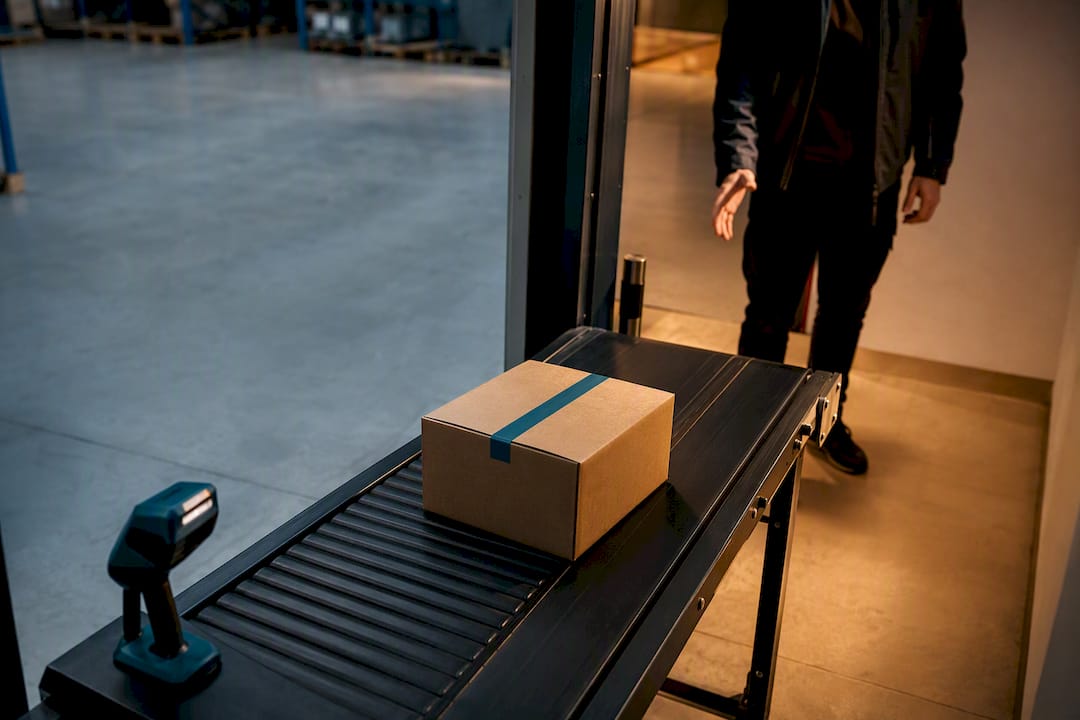
Courier management system software is the orchestration layer that connects your order management system, inventory, and carriers into one workflow, so a shipment gets routed, tracked, and resolved without a human chasing down every exception. For ecommerce sellers, wholesalers, and manufacturers who outsource fulfillment, the payoff is fewer “where is my order” tickets, higher on-time-in-full (OTIF) rates, and a single dashboard instead of five carrier logins. Some logistics platforms build this layer around freight booking, tracking aggregation, and exception management in one place.
TL;DR:
- A multi-carrier courier management system automates routing, tracking, and claims, reducing manual oversight and carrier portal complexity.
- Core features include rule-based carrier assignment, normalized exception codes, and integration with OMS, WMS, and ecommerce platforms for scalability.
- Implement a phased rollout starting with data audit, defining routing rules, and limited pilot testing to identify bugs before full deployment.
- Dashboard metrics such as OTIF, cost-per-zone, claims recovery, and WISMO ticket volume are essential for ongoing performance management.
- Role-based permissions and mobile app features for field staff improve data security, operational clarity, and last-mile delivery efficiency.
Table of Contents
- Why Ecommerce Sellers Need Courier Management Software
- Core Features to Look For in Courier Management Software
- How to Roll Out Courier Management Capabilities Step by Step
- How the Courier Layer Fits Into Your Fulfillment Stack
- What to Measure: KPI Dashboard and ROI Expectations
- User Roles and Permissions Management
- Mobile App Features for Drivers and Field Staff
- Scalability and Cloud Deployment Options
- Security Features and Data Privacy Compliance
- Customization and Configurability of Workflows
- What Most Sellers Get Wrong About Rolling This Out
- Getting Started With Or-ner
- Sources
- FAQ
Why Ecommerce Sellers Need Courier Management Software
The math is simple once you’ve run a multi-carrier operation for more than a season: every carrier you add without a central system multiplies your monitoring burden instead of just adding options. That’s the core warning in guidance on multi-carrier shipping stacks — more carriers means more tracking portals, more claims processes, and more places for a shipment to fall through the cracks.
Branded tracking pages change the customer service math directly. Consolidating tracking into one branded experience reduces WISMO ticket volume, because customers get proactive updates instead of emailing support to ask where their package went. Shipping transparency and proactive updates rank among the top factors in customer satisfaction, trailing only cost in most consumer surveys.
The other business outcomes stack up fast:
- Automated, rule-based routing cuts cost-to-serve by picking the cheapest compliant carrier per shipment instead of defaulting to one contract.
- Carrier scorecards catch a slipping partner before a bad delivery zone becomes a pattern of late deliveries.
- Uniform notifications across Amazon, your own store, and wholesale channels keep the customer experience consistent no matter where the order originated.
Pro Tip: If you sell on three marketplaces and your own site, check whether your tracking notifications actually match in tone and timing across all four. Most sellers assume they do and find out otherwise only after a complaint.
Core Features to Look For in Courier Management Software
Not every platform billed as “courier software” actually orchestrates anything. Some are glorified label printers with a tracking number lookup bolted on. Here’s what separates a real orchestration layer from a shipping label tool:
- Multi-carrier connectivity with rule-based routing. The system should assign carriers by zone, service level, and cost automatically, backed by a hierarchy of fallback carriers when the primary option is unavailable.
- Tracking aggregation with normalized exception codes. Every carrier reports delays and failures differently. A good system translates them into one consistent language so your team isn’t decoding ten different status formats.
- Exception management with automated claims filing. Lost or damaged shipments should trigger a claims workflow automatically, not sit in someone’s inbox for a week.
- Order routing tied to fulfillment-location logic. The software needs to talk to your OMS and WMS to decide which warehouse or 3PL node ships an order, not just which carrier delivers it.
- APIs, webhooks, and prebuilt ecommerce integrations. Manual CSV uploads do not scale past a few hundred orders a day.
- Analytics dashboards tracking OTIF and cost-per-zone. You need to see performance by carrier and by geography, not just an aggregate number that hides your worst lanes.
Pro Tip: Ask any vendor to show you their exception-code mapping table before you sign anything. If they can’t produce one, they’re probably not normalizing carrier data, they’re just relaying it.
Guidance on designing a multi-carrier shipping strategy makes the point directly: the savings from a multi-carrier setup come from automation, not from simply having more carrier options to rate-shop.
How to Roll Out Courier Management Capabilities Step by Step
A phased rollout beats a big-bang switch every time. Here’s the sequence that works:
- Audit your current carriers, exception rates, and tracking endpoints. You can’t improve what you haven’t measured, so pull 90 days of delivery data before touching anything.
- Define routing rules and SLA thresholds. Decide what “on-time” means by zone, set damage-rate ceilings, and write down the exception-rate threshold that triggers a carrier review.
- Map every integration point. List your OMS, WMS, ecommerce platforms, returns process, and accounting system, then confirm each one has a documented API or webhook.
- Pilot on a limited set of SKUs and zones. Testing routing rules and branded tracking on a slice of volume before full rollout lets you catch integration bugs without risking your whole order volume.
- Train your team on exception playbooks. Someone needs to know what happens when a shipment sits in “in transit” for six days past the expected delivery date.
- Set a KPI review cadence. Weekly operational checks, monthly scorecards, and quarterly rule updates keep the system honest.
Pro Tip: Pick your pilot SKUs deliberately. Choose a mix of your highest-volume item and your most damage-prone item. That combination surfaces both routing efficiency issues and claims-handling gaps in the same test window.
Reviewing an RFP checklist for courier delivery software before you pilot helps you ask vendors the right questions instead of finding out what you missed after the contract is signed.
How the Courier Layer Fits Into Your Fulfillment Stack
Data has to move in a specific sequence for any of this to work: an order comes in from your ecommerce platform, your OMS assigns it to a fulfillment location, your WMS picks and packs it, the courier system books the shipment, and carrier events flow back to the OMS and out to the customer. Break any link in that chain and you get split shipments, phantom inventory, or a tracking page that shows nothing for days.
Integrated systems across order, inventory, and transportation functions give you the highest efficiency because every handoff has a single source of truth instead of five spreadsheets trying to agree with each other.
A few things to check before you go live:
- Confirm your APIs support both booking and real-time tracking updates, not just label generation.
- Verify your tracking schema is normalized across carriers so a “delayed” status means the same thing everywhere.
- Test what happens when inventory syncs fail between your WMS and OMS during a pilot, because that’s where most sellers get burned first.
- Walk through a warehouse layout that supports automated fulfillment assignment so your system knows which location should ship an order without manual overrides.
Common failure modes during a pilot include duplicate tracking numbers, webhook timeouts under load, and OMS records that never update after a carrier delivery event. Test all three before you scale.
What to Measure: KPI Dashboard and ROI Expectations
You can’t manage what you don’t track weekly. The core metrics worth putting on a dashboard: OTIF, on-time delivery by zone, exception rate, cost-per-shipment, claims recovery rate, and WISMO ticket volume.
A rolling 30-day carrier scorecard is the standard approach recommended in integrated logistics guidance, and it gives you enough data to spot a trend without overreacting to one bad week. Set thresholds in advance: if a carrier’s on-time rate in a given zone drops below your target for two consecutive scorecard periods, that’s your trigger to shift volume or open a performance conversation.
Three quick ROI levers tend to pay for themselves fastest:
- Branded tracking pages that cut WISMO ticket volume and free up support hours.
- Automated claims filing that recovers costs otherwise lost to manual follow-up delays.
- Routing optimization that shifts volume to the carrier actually performing best in each zone, not just the cheapest on paper.
Recommended cadence: weekly operational reviews for exceptions, monthly carrier scorecards, and quarterly routing rule updates based on the rolling data. A framework for measuring delivery performance can help you build the scorecard structure before your first pilot ends.
User Roles and Permissions Management
Courier software touches sensitive data: customer addresses, order values, carrier contracts, and financial claims. Role-based access control matters here as much as it does in any other operational system.
Most platforms let you set permissions by function rather than by individual, which scales better as your team grows. A warehouse supervisor typically needs visibility into shipment status and exception alerts but doesn’t need access to carrier rate negotiations. A finance lead needs claims and cost data but doesn’t need to touch routing rules. Customer service reps need read access to tracking and delivery status, not the ability to change carrier assignments.
Set up at least three tiers before you go live: an admin tier that controls routing rules and carrier contracts, an operations tier that manages exceptions and daily shipment activity, and a support tier with read-only tracking access. Audit logs matter too. When a shipment gets rerouted or a claim gets filed, you want a record of who made that change and when, especially once you’re running claims automation across multiple carriers and multiple team members can trigger it.

If you outsource fulfillment to a 3PL or logistics partner, ask specifically how their platform separates your team’s permissions from their own internal staff access. That boundary gets fuzzy more often than vendors admit.
Mobile App Features for Drivers and Field Staff
Not every seller needs a driver-facing app, but if you run any portion of last-mile delivery yourself or coordinate closely with warehouse floor staff, mobile functionality stops being optional.
The features that matter most in practice: proof-of-delivery capture with photo and signature, real-time status updates that push directly into the tracking system customers see, barcode or QR scanning for pickup and drop-off confirmation, and offline mode that queues updates when a driver loses signal in a warehouse basement or a rural delivery zone. GPS-based route confirmation also feeds your on-time-by-zone metrics automatically, which beats asking drivers to self-report arrival times.
For warehouse and field staff who aren’t driving, mobile access to exception alerts matters just as much. A picker who spots a damaged item before it ships should be able to flag it from a handheld scanner, not walk it over to a supervisor’s desk. That single feature, small as it sounds, often prevents a damage claim from ever reaching the customer.
The best mobile tools sync in real time with the same backend that feeds your carrier scorecards and OTIF dashboard, so field activity and office reporting never drift out of sync.
Scalability and Cloud Deployment Options
Volume spikes are where courier systems either hold up or fall apart. Cloud-based deployment is the standard now for good reason: it lets your courier management layer scale up during a peak sales event without you provisioning new servers or worrying about capacity.
Look for a platform that scales horizontally, meaning it handles a 10x order spike during a flash sale the same way it handles a normal Tuesday, without added latency in booking or tracking updates. Ask directly about uptime guarantees and how the vendor handles failover during a regional outage. A platform that goes dark during your highest-volume week of the year isn’t scalable, no matter what the sales deck says.
Multi-tenant cloud architecture also means feature updates and carrier integration additions roll out without downtime on your end. You shouldn’t need to schedule a maintenance window every time a new regional carrier gets added to the network.
For sellers expanding into new markets or adding wholesale channels alongside direct-to-consumer sales, cloud deployment also means you’re not paying for infrastructure you don’t need yet. You scale the platform as your shipment volume grows, rather than sizing hardware for a peak that might not arrive for another two years.
Security Features and Data Privacy Compliance
Courier management software handles customer names, addresses, order values, and payment-adjacent data, which puts it squarely inside the same privacy obligations as any other customer-facing system you run.
At minimum, expect encryption in transit and at rest, role-based access controls tied to the permissions structure covered earlier, and audit trails for who accessed or modified shipment and customer data. If you sell internationally, ask how the platform handles regional data protection requirements. Rules vary significantly by country and by the residency of the customer whose data you’re processing, so a platform serving both EU and non-EU customers needs to demonstrate it treats each accordingly rather than applying one blanket policy.
Data breaches in logistics platforms tend to expose customer PII through weak API authentication rather than through the tracking data itself, so ask vendors specifically about API key rotation and rate limiting, not just whether “data is encrypted.” That’s the generic answer every vendor gives; the specific one tells you whether they’ve actually thought about it.
If you outsource fulfillment to a third-party platform, get clarity in writing on data ownership and what happens to your shipment and customer history if you ever switch providers. That single contract clause saves enormous headaches later.
Customization and Configurability of Workflows
Generic routing rules work fine until your business doesn’t fit the generic case, which happens faster than most sellers expect. A courier management system needs to flex around your actual operation, not force your operation to flex around its defaults.
That means configurable routing hierarchies (not just “cheapest carrier wins,” but rules that account for fragile goods, high-value orders, or delivery zones with known carrier weaknesses), custom exception workflows that match how your specific team actually resolves problems, and branded tracking pages that reflect your storefront rather than a generic template. Sellers running both a direct-to-consumer store and a wholesale channel often need entirely different SLA thresholds for each, and the software should support that split without requiring two separate implementations.
Configurability also extends to reporting. A dashboard that only shows default metrics isn’t useful if your business tracks cost-per-zone by product category, not just by carrier. The platforms worth paying for let you build custom views without submitting a support ticket every time you want a new report.
What Most Sellers Get Wrong About Rolling This Out
Most teams start by trying to add carriers fast, chasing rate diversity before they’ve built the integration backbone to support it. That’s backwards. Get your OMS, WMS, and courier layer talking to each other with a single source of truth first. Carrier expansion is easy once that foundation exists; it’s a mess when it doesn’t.
Automating claims filing and tracking aggregation early tends to deliver the fastest visible wins, often faster than routing optimization, because it removes manual work your team is already doing badly under time pressure. Pilot new routing rules on a narrow set of SKUs and zones before you scale them across your full catalog. It’s tempting to skip this step when a vendor promises a quick setup, but the pilot is where you find the integration bugs that would otherwise surface during your busiest week of the year.
[Author professional background placeholder] [Proprietary case study placeholder] [Customer testimonial placeholder]
— Maayan
Getting Started With Or-ner
If you’ve read this far, you already know the gap between “we have carrier accounts” and “we have a system that orchestrates them” is where most of your operational headaches live. Some courier management systems are built around closing that gap: freight booking, tracking aggregation, exception management, and integrations with major ecommerce platforms, all run through one operating layer instead of a patchwork of carrier logins and spreadsheets.
If you’re outsourcing fulfillment to a 3PL already, the practical next step isn’t ripping out your current setup. It’s mapping what a pilot would look like on a handful of SKUs and zones, the same approach covered in the implementation checklist above. Start with the freight booking guide for ecommerce operators to see how the process fits into your existing order flow, and request a walkthrough of how Or-ner’s platform would handle your current carrier mix before you commit to anything.
Sources
- What is Integrated Logistics? A Practical Guide for Ecommerce Operators (2026) – Shopify
- Ecommerce Fulfillment: A Beginner’s Guide | NetSuite
FAQ
What Is Courier Management System Software?
It’s the software layer that connects your order management system, inventory, and carriers so shipments get booked, tracked, and resolved automatically instead of manually across separate carrier portals.
How Is It Different From Basic Shipping Software?
Basic shipping software prints labels and looks up tracking numbers. Courier management software adds rule-based routing, exception automation, and integration with your OMS and WMS so decisions happen without manual intervention.
Does This Replace My 3PL or Logistics Partner?
No. It sits alongside your 3PL or fulfillment partner as the orchestration layer that manages routing, tracking, and exceptions across whichever carriers and fulfillment nodes you already use, including platforms like Or-ner.
What KPIs Should I Track First?
Start with OTIF, on-time delivery by zone, and WISMO ticket volume. Those three metrics reveal the most about whether your current setup is actually working.
How Long Does Implementation Usually Take?
It depends on how many integrations you’re mapping, but piloting on a limited set of SKUs and zones before a full rollout is the fastest way to catch problems without risking full order volume.